

Make your brand, channel, or creative project stand out with a Free Heroes Logo Reveal Template from Freevideofx. Designed for creators who want a bold, powerful, and cinematic introduction, a heroes-style logo reveal can transform an ordinary logo into a memorable visual moment. With dramatic animation, dynamic movement, impactful transitions, and an epic presentation, this style is ideal for projects that need to communicate strength, confidence, creativity, and excitement.
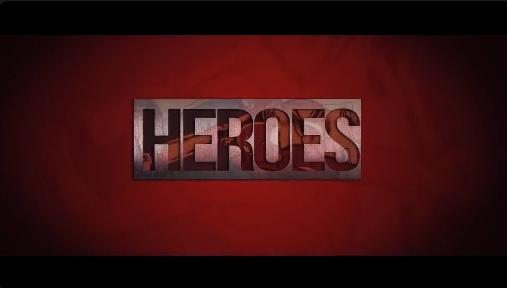
Whether you are creating a YouTube intro, gaming channel opener, superhero-inspired video, cinematic production ident, or promotional presentation, a heroes logo reveal can help establish your visual identity from the very first seconds. It gives your logo a more energetic presentation and creates a professional opening that viewers can associate with your brand.
Unlike a simple static logo, an animated heroes logo creates a sense of anticipation before revealing the brand mark. This makes it suitable for creators who want their opening sequence to feel exciting, memorable, and visually distinctive.
The heroes-inspired style works especially well for gaming brands, entertainment channels, action-themed content, creative studios, esports teams, and personal brands looking for a strong visual identity. With the right logo, colors, and sound design, the reveal can become a recognizable part of your video content.
A Free Heroes Logo template is useful for beginners who want to explore motion graphics as well as experienced editors who need to prepare branded video content efficiently. Instead of building every animation element independently, you can work with the supplied design and customize it according to the template's available features.
Freevideofx provides a place to discover creative video assets and templates for different editing projects. Before using a particular Heroes Logo asset, check its file format, supported software version, customization options, and licensing terms.
Cinematic Animation Style: Depending on the template, dramatic movement, lighting, shadows, particles, or atmospheric effects may contribute to an epic presentation.
Brand Customization: Replace the sample logo with your own design when the template supports logo replacement. A clean, high-resolution logo usually produces better results.
Color and Visual Adjustments: Adapt the appearance to your brand palette where the template allows customization. Consistent colors can help the animation feel connected to your wider identity.
Sound Design Compatibility: Pair the reveal with cinematic impacts, orchestral accents, whooshes, or other suitable audio to strengthen the visual experience. Use properly licensed audio for your intended distribution.
Flexible Video Applications: Use a heroes-style logo animation as an opening, closing ident, channel bumper, branded interlude, or introduction to a larger promotional video.
Actual features depend on the specific asset and its included project files.
Gaming and Esports Branding: Give gaming videos, esports highlights, tournament recaps, team announcements, and gaming montages an energetic opening.
Superhero and Action Videos: Create an exciting introduction for fan-made projects, fictional character edits, action-themed short films, and dramatic visual storytelling.
Film Production Logos: Independent filmmakers and video production studios can use a cinematic logo reveal to introduce their brand before a short film, trailer, or showreel.
Creative Agency Presentations: Present a studio logo at the beginning or end of a portfolio video, client presentation, or creative campaign.
Social Media Content: Use a shortened version of the reveal in Instagram Reels, YouTube Shorts, and other short-form videos when the animation and aspect ratio suit the platform.
Event and Promotional Videos: Add a distinctive brand introduction to launch announcements, highlight reels, presentations, and promotional campaigns.
Freelancers may use a suitable template as a starting point for client projects, while small businesses can experiment with animated branding for promotional videos and digital campaigns. Students and beginner editors can also use these assets to understand how motion graphics, visual timing, and sound design work together.
For businesses and commercial projects, always confirm that the specific template's license permits the intended use.
1. Open the Project: Launch a compatible version of After Effects and open the project file if one is included.
2. Locate the Logo Placeholder: Review the project panel and composition timeline to identify the logo placeholder or replacement composition.
3. Import Your Logo: Use a high-resolution logo with a transparent background when appropriate. Vector artwork or a clean PNG can help preserve the appearance of the original design.
4. Replace the Sample Artwork: Insert your logo into the designated composition and adjust its scale and positioning. Avoid changing linked layers or precompositions unless you understand how they affect the animation.
5. Adjust the Visual Style: If controls are provided, customize available colors, background elements, lighting, or other properties to match your brand.
6. Review the Animation: Preview the complete reveal and check that your logo remains readable throughout the sequence.
7. Add Appropriate Audio: Use a suitable sound effect or musical accent if desired, ensuring that the audio is licensed for your project.
8. Export the Final Video: Choose the resolution, frame rate, and file format appropriate for your intended platform. Check the exported file before publishing.
These steps apply to compatible After Effects projects; other versions of a Heroes Logo asset may use a different workflow or software.
Keep the Timing Balanced: A reveal should build anticipation without taking too long. Match the duration to the purpose of the video and the expectations of your audience.
Match the Animation to Your Brand: Dramatic effects suit action-oriented brands, gaming channels, and entertainment content, while a more restrained version may work better for a professional studio.
Choose Sound Carefully: A well-timed audio accent can add impact, but excessive sound effects may make the opening feel cluttered.
Maintain Brand Consistency: Use recognizable colors, typography, and logo proportions across your intros, thumbnails, social posts, and other promotional materials.
Avoid Overusing the Effect: A strong logo reveal is most effective when used at appropriate moments. Keep longer videos focused on their main content rather than repeatedly displaying the entire animation.
Optimize for the Platform: Review the final video in the aspect ratio and resolution you intend to publish. If you need a vertical version, check whether the original composition can be adapted without cutting off important elements.
For the best results, combine the animation with consistent branding, suitable audio, and a clear understanding of your audience. The goal is not simply to make the logo move, but to create an introduction that feels connected to the identity of your project.
Whether you are launching a YouTube channel, building a gaming identity, producing a cinematic short film, or presenting a creative business, the right logo animation can help your content begin with greater impact.
Explore the Free Heroes Logo Reveal Template on Freevideofx and create a bold introduction for your next video project. Customize the available elements to suit your visual identity and give your brand a memorable animated presentation.
Whether you are creating a YouTube intro, gaming channel opener, superhero-inspired video, cinematic production ident, or promotional presentation, a heroes logo reveal can help establish your visual identity from the very first seconds. It gives your logo a more energetic presentation and creates a professional opening that viewers can associate with your brand.
What Is a Heroes Logo Reveal?
A heroes logo reveal is an animated introduction that presents a logo with a bold, powerful, and cinematic visual style. It may feature dramatic lighting, fast-moving elements, energetic transitions, glowing highlights, particles, atmospheric backgrounds, or impactful animation, depending on the original template.Unlike a simple static logo, an animated heroes logo creates a sense of anticipation before revealing the brand mark. This makes it suitable for creators who want their opening sequence to feel exciting, memorable, and visually distinctive.
The heroes-inspired style works especially well for gaming brands, entertainment channels, action-themed content, creative studios, esports teams, and personal brands looking for a strong visual identity. With the right logo, colors, and sound design, the reveal can become a recognizable part of your video content.
Why Choose a Free Heroes Logo Template?
Creating a cinematic logo animation from scratch can involve motion graphics, keyframe animation, compositing, lighting effects, and detailed timing adjustments. A ready-made template can simplify the process and give creators a starting point for producing a polished logo reveal.A Free Heroes Logo template is useful for beginners who want to explore motion graphics as well as experienced editors who need to prepare branded video content efficiently. Instead of building every animation element independently, you can work with the supplied design and customize it according to the template's available features.
Freevideofx provides a place to discover creative video assets and templates for different editing projects. Before using a particular Heroes Logo asset, check its file format, supported software version, customization options, and licensing terms.
Key Features and Creative Possibilities
Bold Logo Presentation: Give your logo a strong visual entrance that helps establish your brand identity and creates a memorable opening moment.Cinematic Animation Style: Depending on the template, dramatic movement, lighting, shadows, particles, or atmospheric effects may contribute to an epic presentation.
Brand Customization: Replace the sample logo with your own design when the template supports logo replacement. A clean, high-resolution logo usually produces better results.
Color and Visual Adjustments: Adapt the appearance to your brand palette where the template allows customization. Consistent colors can help the animation feel connected to your wider identity.
Sound Design Compatibility: Pair the reveal with cinematic impacts, orchestral accents, whooshes, or other suitable audio to strengthen the visual experience. Use properly licensed audio for your intended distribution.
Flexible Video Applications: Use a heroes-style logo animation as an opening, closing ident, channel bumper, branded interlude, or introduction to a larger promotional video.
Actual features depend on the specific asset and its included project files.
Best Uses for a Heroes Logo Reveal
YouTube Channel Intros: Introduce your channel with a recognizable logo animation before starting a video. This style can work well for entertainment, action, technology, storytelling, and gaming content.Gaming and Esports Branding: Give gaming videos, esports highlights, tournament recaps, team announcements, and gaming montages an energetic opening.
Superhero and Action Videos: Create an exciting introduction for fan-made projects, fictional character edits, action-themed short films, and dramatic visual storytelling.
Film Production Logos: Independent filmmakers and video production studios can use a cinematic logo reveal to introduce their brand before a short film, trailer, or showreel.
Creative Agency Presentations: Present a studio logo at the beginning or end of a portfolio video, client presentation, or creative campaign.
Social Media Content: Use a shortened version of the reveal in Instagram Reels, YouTube Shorts, and other short-form videos when the animation and aspect ratio suit the platform.
Event and Promotional Videos: Add a distinctive brand introduction to launch announcements, highlight reels, presentations, and promotional campaigns.
Ideal for YouTubers, Designers, and Content Creators
A Free Heroes Logo Reveal Template can be useful for a wide range of creators. YouTubers can use it to strengthen their channel identity, gaming creators can introduce their content with more energy, and motion designers can explore cinematic logo presentation techniques.Freelancers may use a suitable template as a starting point for client projects, while small businesses can experiment with animated branding for promotional videos and digital campaigns. Students and beginner editors can also use these assets to understand how motion graphics, visual timing, and sound design work together.
For businesses and commercial projects, always confirm that the specific template's license permits the intended use.
Customizing Your Heroes Logo in After Effects
If the asset is supplied as an Adobe After Effects project, the customization process will depend on its project structure and included controls. Follow the supplied documentation whenever available.1. Open the Project: Launch a compatible version of After Effects and open the project file if one is included.
2. Locate the Logo Placeholder: Review the project panel and composition timeline to identify the logo placeholder or replacement composition.
3. Import Your Logo: Use a high-resolution logo with a transparent background when appropriate. Vector artwork or a clean PNG can help preserve the appearance of the original design.
4. Replace the Sample Artwork: Insert your logo into the designated composition and adjust its scale and positioning. Avoid changing linked layers or precompositions unless you understand how they affect the animation.
5. Adjust the Visual Style: If controls are provided, customize available colors, background elements, lighting, or other properties to match your brand.
6. Review the Animation: Preview the complete reveal and check that your logo remains readable throughout the sequence.
7. Add Appropriate Audio: Use a suitable sound effect or musical accent if desired, ensuring that the audio is licensed for your project.
8. Export the Final Video: Choose the resolution, frame rate, and file format appropriate for your intended platform. Check the exported file before publishing.
These steps apply to compatible After Effects projects; other versions of a Heroes Logo asset may use a different workflow or software.
Tips for a More Professional Logo Reveal
Use a Clear Logo: A simple, well-defined logo is often easier to recognize during a fast animation. Remove unnecessary details that become difficult to see at smaller sizes.Keep the Timing Balanced: A reveal should build anticipation without taking too long. Match the duration to the purpose of the video and the expectations of your audience.
Match the Animation to Your Brand: Dramatic effects suit action-oriented brands, gaming channels, and entertainment content, while a more restrained version may work better for a professional studio.
Choose Sound Carefully: A well-timed audio accent can add impact, but excessive sound effects may make the opening feel cluttered.
Maintain Brand Consistency: Use recognizable colors, typography, and logo proportions across your intros, thumbnails, social posts, and other promotional materials.
Avoid Overusing the Effect: A strong logo reveal is most effective when used at appropriate moments. Keep longer videos focused on their main content rather than repeatedly displaying the entire animation.
Optimize for the Platform: Review the final video in the aspect ratio and resolution you intend to publish. If you need a vertical version, check whether the original composition can be adapted without cutting off important elements.
Enhance Your Brand Identity with Motion Graphics
Animated logos are more than decorative effects. They can help establish a visual tone, introduce a creator's personality, and make branded content easier to recognize. A heroes-style reveal adds an especially energetic character, making it suitable for channels and projects that aim to communicate excitement, ambition, strength, or adventure.For the best results, combine the animation with consistent branding, suitable audio, and a clear understanding of your audience. The goal is not simply to make the logo move, but to create an introduction that feels connected to the identity of your project.
Discover Free Logo Animation Templates on Freevideofx
Freevideofx helps creators discover video editing resources, motion graphics, logo animations, transitions, and other creative assets for digital content production. If you are exploring a Heroes Logo Reveal, you can also look for cinematic logo intros, gaming openers, action titles, and other animated branding resources to find a style that fits your project.Whether you are launching a YouTube channel, building a gaming identity, producing a cinematic short film, or presenting a creative business, the right logo animation can help your content begin with greater impact.
Explore the Free Heroes Logo Reveal Template on Freevideofx and create a bold introduction for your next video project. Customize the available elements to suit your visual identity and give your brand a memorable animated presentation.


