

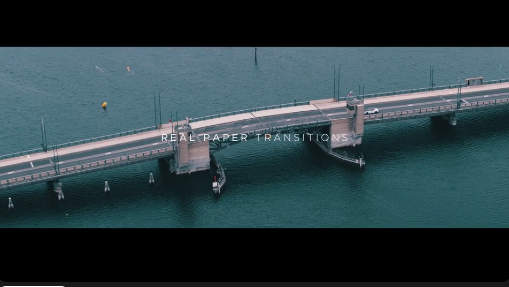
Free Paper Transitions is a creative video editing resource designed to add a unique paper-inspired style to your videos. Featuring a visual approach inspired by torn paper, paper folds, cutouts, layered sheets, and handcrafted textures, paper transitions can help you connect scenes with a natural, artistic, and visually engaging effect. They are ideal for creators who want an alternative to conventional digital transitions and prefer a more organic, handmade aesthetic.
Whether you are producing a cinematic montage, a photo slideshow, a wedding film, a travel video, or social media content, paper-style transitions can help create a distinctive visual identity. This Free resource is suitable for editors, motion designers, content creators, and filmmakers who want to explore creative transition effects for their projects.
Depending on the original template or transition pack, the available effects may include torn-paper reveals, layered paper movements, cutout-style transitions, page-inspired animations, textured wipes, or other paper-themed visual changes. The exact effects and customization options depend on the supplied project files.
These transitions can introduce texture and depth into your videos while maintaining a clean, creative, and professional appearance. They work particularly well when the visual style of the transition complements the footage, typography, colours, and overall mood of the project.
Use paper-style effects in birthday slideshows, family memory videos, anniversary presentations, graduation videos, travel diaries, and personal storytelling projects. Combining these transitions with photographs, handwritten-style typography, subtle background music, and complementary textures can create a cohesive visual experience.
For the best results, choose transitions that support the emotional tone of the photographs rather than overpowering them.
The organic texture of paper can complement romantic footage, vintage photographs, elegant typography, and soft colour palettes. Torn-paper reveals and layered visual effects can also help introduce names, dates, locations, and other important details when supported by the editing workflow.
Paper transitions are equally useful for birthday celebrations, family functions, cultural events, and personal milestone videos where a handcrafted presentation style is desirable.
For travel creators, paper transitions can connect destinations, photographs, and memorable moments. Lifestyle creators can use them in daily vlogs, fashion edits, and creative montages. Educational creators can incorporate paper-inspired reveals into explainer videos, tutorials, and presentations.
When preparing content for different platforms, ensure the transitions suit the final aspect ratio and pacing. Vertical videos may require repositioning or reframing, depending on the original project and available editing controls.
The style is particularly suitable for stationery brands, handmade products, art studios, craft businesses, photography portfolios, educational content, and creative services. It can help establish a tactile, editorial, or handcrafted mood that differs from more conventional digital animation.
For branded videos, keep the transition colours and textures consistent with the brand's visual guidelines. A restrained and coordinated approach usually produces a more professional result than combining too many unrelated effects.
If the transitions are supplied as an After Effects project, open the project in a compatible version of Adobe After Effects and inspect the compositions before editing. If they are designed for another application, use the software specified by the creator rather than assuming that the project is compatible with every video editor.
Depending on the original asset, customization may include adjusting transition duration, changing colours, modifying available textures, repositioning elements, or combining the effects with your own footage. For rendered overlays, check whether the files include transparency or require a particular blending mode or background treatment.
Place each transition at an appropriate point in your edit, preview the movement, and adjust the timing to match the rhythm of the footage or music. If the transition reveals a new scene, align the reveal with the most important visual moment for a stronger result.
Beginners can use paper-inspired effects as a starting point for exploring visual storytelling, while experienced creators can incorporate them into more elaborate editing workflows. They are also useful for experimental projects that combine photography, typography, collage, illustration, and motion graphics.
Choosing a Free transition resource can help reduce production costs while giving you additional creative options. However, always review the included licensing terms to understand whether personal, commercial, or redistribution uses are permitted.
Explore Free creative resources on Freevideofx to discover video editing assets that support your workflow and creative ideas. Choose transitions that suit your footage, customize the available options, and create polished videos with a unique paper-inspired visual style.
Whether you are producing a cinematic montage, a photo slideshow, a wedding film, a travel video, or social media content, paper-style transitions can help create a distinctive visual identity. This Free resource is suitable for editors, motion designers, content creators, and filmmakers who want to explore creative transition effects for their projects.
Creative Paper Transition Effects
Paper transitions take inspiration from real-world materials and traditional paper-based techniques. Instead of relying only on simple cuts, fades, or zooms, these effects create the impression that one scene is being revealed through, covered by, or replaced with a paper-like surface.Depending on the original template or transition pack, the available effects may include torn-paper reveals, layered paper movements, cutout-style transitions, page-inspired animations, textured wipes, or other paper-themed visual changes. The exact effects and customization options depend on the supplied project files.
These transitions can introduce texture and depth into your videos while maintaining a clean, creative, and professional appearance. They work particularly well when the visual style of the transition complements the footage, typography, colours, and overall mood of the project.
Perfect for Photo Slideshows and Memories
Paper transitions are an excellent choice for photo slideshows that aim to create a warm, personal, or nostalgic atmosphere. They can help connect photographs smoothly while adding a scrapbook-inspired appearance to the presentation.Use paper-style effects in birthday slideshows, family memory videos, anniversary presentations, graduation videos, travel diaries, and personal storytelling projects. Combining these transitions with photographs, handwritten-style typography, subtle background music, and complementary textures can create a cohesive visual experience.
For the best results, choose transitions that support the emotional tone of the photographs rather than overpowering them.
Ideal for Wedding and Event Videos
Wedding filmmakers and event editors can use paper-inspired transitions to create artistic sequences for pre-wedding films, engagement videos, wedding highlights, invitation videos, and anniversary montages.The organic texture of paper can complement romantic footage, vintage photographs, elegant typography, and soft colour palettes. Torn-paper reveals and layered visual effects can also help introduce names, dates, locations, and other important details when supported by the editing workflow.
Paper transitions are equally useful for birthday celebrations, family functions, cultural events, and personal milestone videos where a handcrafted presentation style is desirable.
Enhance Social Media and YouTube Content
Content creators can use Free Paper Transitions to make their videos more visually interesting across social media platforms. The effects can work well in Instagram Reels, YouTube videos, YouTube Shorts, Facebook videos, promotional clips, and creative storytelling content.For travel creators, paper transitions can connect destinations, photographs, and memorable moments. Lifestyle creators can use them in daily vlogs, fashion edits, and creative montages. Educational creators can incorporate paper-inspired reveals into explainer videos, tutorials, and presentations.
When preparing content for different platforms, ensure the transitions suit the final aspect ratio and pacing. Vertical videos may require repositioning or reframing, depending on the original project and available editing controls.
Useful for Branding and Promotional Videos
Paper transitions can also support commercial and creative projects that require a distinctive visual identity. Small businesses, agencies, freelancers, and marketing teams can use paper-inspired effects in product showcases, promotional videos, campaign announcements, portfolio presentations, and brand storytelling.The style is particularly suitable for stationery brands, handmade products, art studios, craft businesses, photography portfolios, educational content, and creative services. It can help establish a tactile, editorial, or handcrafted mood that differs from more conventional digital animation.
For branded videos, keep the transition colours and textures consistent with the brand's visual guidelines. A restrained and coordinated approach usually produces a more professional result than combining too many unrelated effects.
Editing and Customization
Before using the Free Paper Transitions asset, check the supplied download package for its file format, supported editing software, compatibility requirements, and included resources. The asset may be a native project, an overlay, a rendered transition, or another supported format, so follow the instructions provided with the original files.If the transitions are supplied as an After Effects project, open the project in a compatible version of Adobe After Effects and inspect the compositions before editing. If they are designed for another application, use the software specified by the creator rather than assuming that the project is compatible with every video editor.
Depending on the original asset, customization may include adjusting transition duration, changing colours, modifying available textures, repositioning elements, or combining the effects with your own footage. For rendered overlays, check whether the files include transparency or require a particular blending mode or background treatment.
Place each transition at an appropriate point in your edit, preview the movement, and adjust the timing to match the rhythm of the footage or music. If the transition reveals a new scene, align the reveal with the most important visual moment for a stronger result.
Tips for Professional Video Editing
To achieve the best results with paper transitions, focus on consistency, readability, and timing.- Match the visual style: Pair paper textures with footage, typography, and colours that complement their handcrafted appearance.
- Maintain natural pacing: Choose a transition duration that suits the mood and speed of the video.
- Avoid excessive effects: Use transitions selectively so that important scenes remain the focus.
- Coordinate with music: Align key reveals and scene changes with suitable beats or sound cues when appropriate.
- Check image quality: Review the texture edges and overall sharpness at the final export resolution.
- Preview before exporting: Look for unexpected frames, visual gaps, cropping issues, or compatibility problems.
- Adapt for each platform: Check framing and safe areas when preparing widescreen, square, or vertical videos.
Who Can Benefit from Free Paper Transitions?
This resource can be useful for beginner editors learning creative video techniques, professional video editors looking to expand their transition library, freelance motion designers, wedding videographers, photographers, YouTubers, social media managers, and marketing professionals.Beginners can use paper-inspired effects as a starting point for exploring visual storytelling, while experienced creators can incorporate them into more elaborate editing workflows. They are also useful for experimental projects that combine photography, typography, collage, illustration, and motion graphics.
Choosing a Free transition resource can help reduce production costs while giving you additional creative options. However, always review the included licensing terms to understand whether personal, commercial, or redistribution uses are permitted.
Download Free Paper Transitions from Freevideofx
Free Paper Transitions offer a creative way to move between scenes while introducing the texture and character of paper-inspired design. From romantic photo slideshows and travel films to social media content, brand promotions, and artistic video projects, these effects can help make your edits feel more distinctive and engaging.Explore Free creative resources on Freevideofx to discover video editing assets that support your workflow and creative ideas. Choose transitions that suit your footage, customize the available options, and create polished videos with a unique paper-inspired visual style.


