

Create engaging mobile communication visuals with this Free Phone Call After Effects Template, a creative resource for producing animated phone call screens, smartphone interface sequences, conversation scenes, and modern technology-themed videos. Whether you are creating a social media reel, a short film, a promotional video, a storytelling sequence, or a mobile app presentation, a phone call animation can help communicate a message in a familiar and visually engaging way.
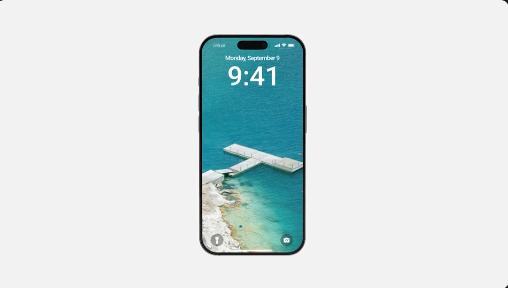
Phone call graphics are widely used in digital storytelling because they can represent conversations, incoming calls, missed calls, important announcements, and everyday communication. By combining a recognizable mobile interface with animated elements and carefully timed text, you can create a scene that supports your story without requiring a physical phone to be recorded on camera.
This Free Phone Call template provides a useful starting point for editors and content creators who want to incorporate phone-related visuals into their projects. Depending on the original template's features, you may be able to customize contact names, caller information, text elements, colors, interface details, and animation timing to match your creative requirements.
A Free Phone Call template can help you build these scenes more efficiently by providing an existing visual structure. Use the available design to introduce a character, establish a conversation, communicate a notification, or transition between different parts of a video.
For storytelling projects, consider how the phone call contributes to the scene. An incoming call can introduce an unexpected event, while an outgoing call can establish a character's intention. A missed-call screen can communicate urgency or create suspense. Matching the animation timing to the surrounding footage can make the scene feel more natural.
For Instagram Reels, TikTok, and YouTube Shorts, phone interface graphics can introduce a conversation, display a fictional message, or create a transition between scenes. You can also use the animation as part of a recurring content format, helping your videos maintain a consistent visual style.
When preparing vertical content, make sure the phone interface fits comfortably within the frame. Keep important text readable and avoid placing essential details too close to the edges. If the original template uses a different aspect ratio, check whether the composition can be adapted to a vertical layout without distorting the interface.
Use an incoming call to introduce a character or signal an important development. Show an outgoing call when a character attempts to contact someone, or use a missed-call screen to suggest an unanswered conversation. For suspense and dramatic storytelling, carefully timed call graphics can build anticipation before the next scene.
The visual style should match the tone of the production. A realistic interface may suit a contemporary drama, while exaggerated colors and animation can work better for comedy or stylized social media content. Keep the interface details consistent with the world established by the rest of the video.
For app promotional videos, use the phone screen to introduce a feature or demonstrate a user journey. For technology content, the animation can complement smartphone reviews, interface walkthroughs, digital service presentations, and educational videos about mobile communication.
If the project represents a real application or brand, verify that the displayed interface and visual identity are accurate. Where the template allows customization, use appropriate colors, text, and logos to maintain consistency with the product being presented.
A Free Phone Call template can make these examples easier to understand by showing recognizable visual cues alongside narration or on-screen explanations. Keep the interface uncluttered and highlight only the information that viewers need to follow the demonstration.
For professional training materials, use fictional names and contact details unless you have permission to display real information. This keeps the example clear while protecting personal information.
Depending on the original template's features, customization may include replacing contact names, changing profile images, updating text, modifying interface colors, adjusting animation speed, and changing the duration of individual scenes. The exact options depend on how the original project was created.
Start by opening the project in a compatible version of After Effects and reviewing the composition structure. Check whether the template includes linked assets, custom fonts, plugins, or additional footage. Replace placeholder content carefully and preserve the original layer structure where possible.
Preview the animation after making changes to ensure that interface elements remain aligned and that text is displayed for an appropriate amount of time. If you plan to composite the phone call screen into live-action footage, check the scale, perspective, and overall visual treatment so that the graphic complements the scene.
Make text readable. Choose suitable font sizes and ensure that names and other information remain visible on smaller screens.
Match the animation to the story. A quick incoming-call animation may suit a comedy or action sequence, while slower timing can work better for dramatic scenes.
Maintain visual consistency. Use a coherent color palette, typography, and interface style throughout the project.
Check the aspect ratio. Make sure the phone screen fits the intended video format without stretching or unwanted cropping.
Use appropriate sound effects. If you add a ringtone, call connection tone, or notification sound, select audio that fits the scene and that you have permission to use.
Protect personal information. Use fictional names, numbers, and contact details when creating examples or public-facing videos unless you have permission to show real information.
Preview before exporting. Review the animation at full speed and check for incorrect text, misaligned elements, awkward timing, and missing assets.
Beginners can use compatible templates to learn how animated interfaces are constructed, while experienced editors can adapt supported elements to speed up the creation of communication-themed scenes. The resource can be useful for personal videos, fictional storytelling, promotional campaigns, tutorials, product demonstrations, and client projects.
Before using the template in commercial work, review the original licensing terms and confirm the usage rights for any included music, fonts, plugins, images, or other third-party assets.
Explore Freevideofx for more Free After Effects templates, phone animations, smartphone mockups, mobile interface graphics, video overlays, and motion graphics resources. Choose a design that suits your project, customize the available elements, and create engaging videos with polished phone call visuals.
Phone call graphics are widely used in digital storytelling because they can represent conversations, incoming calls, missed calls, important announcements, and everyday communication. By combining a recognizable mobile interface with animated elements and carefully timed text, you can create a scene that supports your story without requiring a physical phone to be recorded on camera.
This Free Phone Call template provides a useful starting point for editors and content creators who want to incorporate phone-related visuals into their projects. Depending on the original template's features, you may be able to customize contact names, caller information, text elements, colors, interface details, and animation timing to match your creative requirements.
Create Realistic Phone Call Animations
A phone call animation can recreate the visual experience of an incoming call, an outgoing call, or a conversation taking place through a mobile device. Depending on the design, the animation may include caller information, call buttons, profile images, interface elements, and other details associated with a smartphone screen.A Free Phone Call template can help you build these scenes more efficiently by providing an existing visual structure. Use the available design to introduce a character, establish a conversation, communicate a notification, or transition between different parts of a video.
For storytelling projects, consider how the phone call contributes to the scene. An incoming call can introduce an unexpected event, while an outgoing call can establish a character's intention. A missed-call screen can communicate urgency or create suspense. Matching the animation timing to the surrounding footage can make the scene feel more natural.
Perfect for Instagram Reels, YouTube Shorts, and TikTok
Phone call animations are popular in short-form videos because viewers can quickly recognize the interface and understand the situation. Content creators can use a Free Phone Call animation for comedy sketches, relationship stories, reaction videos, fictional conversations, relatable situations, and creative storytelling.For Instagram Reels, TikTok, and YouTube Shorts, phone interface graphics can introduce a conversation, display a fictional message, or create a transition between scenes. You can also use the animation as part of a recurring content format, helping your videos maintain a consistent visual style.
When preparing vertical content, make sure the phone interface fits comfortably within the frame. Keep important text readable and avoid placing essential details too close to the edges. If the original template uses a different aspect ratio, check whether the composition can be adapted to a vertical layout without distorting the interface.
Useful for Short Films and Video Storytelling
Filmmakers and video editors can use a Free Phone Call template to represent communication in short films, web series, cinematic edits, and fictional scenes. Instead of recording a close-up of a physical phone screen, you can create a controlled interface animation that shows the information needed for the story.Use an incoming call to introduce a character or signal an important development. Show an outgoing call when a character attempts to contact someone, or use a missed-call screen to suggest an unanswered conversation. For suspense and dramatic storytelling, carefully timed call graphics can build anticipation before the next scene.
The visual style should match the tone of the production. A realistic interface may suit a contemporary drama, while exaggerated colors and animation can work better for comedy or stylized social media content. Keep the interface details consistent with the world established by the rest of the video.
Ideal for Mobile App Promos and Technology Videos
Businesses, designers, and marketers can use phone call animations to support mobile app demonstrations, software presentations, communication product promotions, and technology-themed advertisements. A Free Phone Call template can provide a familiar visual element when explaining how a communication feature works or illustrating a user interaction.For app promotional videos, use the phone screen to introduce a feature or demonstrate a user journey. For technology content, the animation can complement smartphone reviews, interface walkthroughs, digital service presentations, and educational videos about mobile communication.
If the project represents a real application or brand, verify that the displayed interface and visual identity are accurate. Where the template allows customization, use appropriate colors, text, and logos to maintain consistency with the product being presented.
Create Educational and Explainer Videos
Phone call animations can also help explain communication scenarios in educational content, tutorials, presentations, and instructional videos. For example, a training video might demonstrate how a customer service call begins, how a business communicates with a client, or how a fictional character responds to an incoming call.A Free Phone Call template can make these examples easier to understand by showing recognizable visual cues alongside narration or on-screen explanations. Keep the interface uncluttered and highlight only the information that viewers need to follow the demonstration.
For professional training materials, use fictional names and contact details unless you have permission to display real information. This keeps the example clear while protecting personal information.
Customize the Phone Call Animation in Adobe After Effects
Adobe After Effects is widely used for motion graphics, compositing, animated interfaces, and visual effects. If the Free Phone Call template is supplied as an After Effects project, you can use its included compositions and supported controls to adapt the animation to your video.Depending on the original template's features, customization may include replacing contact names, changing profile images, updating text, modifying interface colors, adjusting animation speed, and changing the duration of individual scenes. The exact options depend on how the original project was created.
Start by opening the project in a compatible version of After Effects and reviewing the composition structure. Check whether the template includes linked assets, custom fonts, plugins, or additional footage. Replace placeholder content carefully and preserve the original layer structure where possible.
Preview the animation after making changes to ensure that interface elements remain aligned and that text is displayed for an appropriate amount of time. If you plan to composite the phone call screen into live-action footage, check the scale, perspective, and overall visual treatment so that the graphic complements the scene.
Tips for Creating Professional Phone Call Graphics
Keep the interface recognizable. Use a clear visual hierarchy so viewers can quickly identify the caller, call status, and other important details.Make text readable. Choose suitable font sizes and ensure that names and other information remain visible on smaller screens.
Match the animation to the story. A quick incoming-call animation may suit a comedy or action sequence, while slower timing can work better for dramatic scenes.
Maintain visual consistency. Use a coherent color palette, typography, and interface style throughout the project.
Check the aspect ratio. Make sure the phone screen fits the intended video format without stretching or unwanted cropping.
Use appropriate sound effects. If you add a ringtone, call connection tone, or notification sound, select audio that fits the scene and that you have permission to use.
Protect personal information. Use fictional names, numbers, and contact details when creating examples or public-facing videos unless you have permission to show real information.
Preview before exporting. Review the animation at full speed and check for incorrect text, misaligned elements, awkward timing, and missing assets.
Who Can Use This Free Phone Call Template?
This Free Phone Call template is suitable for video editors, content creators, YouTubers, filmmakers, motion designers, social media managers, digital marketers, educators, app developers, and creative agencies.Beginners can use compatible templates to learn how animated interfaces are constructed, while experienced editors can adapt supported elements to speed up the creation of communication-themed scenes. The resource can be useful for personal videos, fictional storytelling, promotional campaigns, tutorials, product demonstrations, and client projects.
Before using the template in commercial work, review the original licensing terms and confirm the usage rights for any included music, fonts, plugins, images, or other third-party assets.
Download Free Phone Call from Freevideofx
Bring communication-themed scenes to life with Free Phone Call, a versatile starting point for creating animated phone screens, incoming-call sequences, fictional conversations, and mobile interface visuals. Whether you are producing a short film, a social media reel, an explainer video, or a technology promotion, phone call graphics can help communicate your idea in a familiar and engaging format.Explore Freevideofx for more Free After Effects templates, phone animations, smartphone mockups, mobile interface graphics, video overlays, and motion graphics resources. Choose a design that suits your project, customize the available elements, and create engaging videos with polished phone call visuals.


