

Free Text Animation Preset is a creative motion graphics resource designed for video editors, motion designers, filmmakers, content creators, and graphic designers who want to bring text to life with engaging animation. This Free After Effects preset offers a starting point for creating dynamic typography, animated headlines, stylish titles, and visually appealing text effects. Instead of animating every text element from scratch, editors can use text animation presets to explore different motion styles and develop professional-looking video content more efficiently.
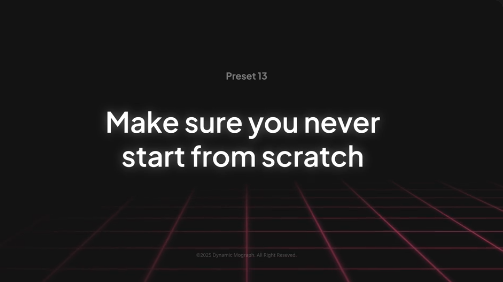
Text animation plays an important role in modern video production. Animated typography can introduce a topic, highlight important information, emphasize a message, establish a visual identity, and guide viewers through a story. From subtle fade-ins and smooth movement to energetic kinetic typography, text animation presets can help transform static words into engaging visual elements that complement the overall design of a video.
Free Text Animation Preset is suitable for YouTube intros, video titles, promotional videos, educational content, presentations, social media edits, and creative storytelling projects. Use animated text to introduce a video, display section headings, highlight key phrases, present statistics, or emphasize a call to action. Combining typography with suitable backgrounds, footage, transitions, and sound design can help create a cohesive and memorable viewing experience.
Social media creators can use text animation effects for Instagram Reels, TikTok videos, YouTube Shorts, Facebook Reels, and other short-form content. Animated headlines can help communicate ideas quickly, draw attention to important messages, and make videos more visually engaging. These effects are useful for motivational edits, educational clips, lifestyle videos, travel montages, product promotions, personal branding, and creator content.
YouTube creators can incorporate Free Text Animation Preset into channel intros, video explainers, tutorials, reviews, documentaries, interviews, and branded content. Animated titles can introduce new sections, emphasize important statements, highlight key takeaways, and improve the visual structure of a video. Consistent typography and animation styles can also help establish a recognizable appearance across multiple uploads.
Businesses and digital marketers can use animated text in advertisements, product demonstrations, promotional campaigns, corporate presentations, brand videos, and marketing content. Display product names, service descriptions, promotional offers, important figures, and campaign messages using typography that matches the brand's visual identity. Carefully timed text animations can make information easier to follow while maintaining a clean and professional presentation.
Motion designers and graphic designers can explore text animation presets for kinetic typography, experimental title sequences, editorial videos, music visuals, portfolio presentations, and creative showreels. Different animation approaches can communicate different moods: smooth movement may suit corporate content, bold typography can work well for advertising, and fast-paced text effects can complement energetic music edits. Selecting the right animation style helps ensure that the typography supports the project's purpose.
Music video editors can use animated text for lyric videos, artist introductions, concert promotions, album announcements, and beat-driven edits. Synchronizing text movement with musical accents can create a stronger connection between the visuals and soundtrack. Combining animated typography with complementary colors, transitions, and background footage can produce engaging sequences for music-focused content.
Freelance editors and creative agencies can use Free Text Animation Preset as a starting point for client projects that require consistent and reusable typography. It can support promotional videos, event announcements, product launches, social media advertisements, educational videos, and branded presentations. Presets can help streamline repetitive animation tasks, allowing editors to focus more on storytelling, composition, and overall visual quality.
Adobe After Effects provides powerful tools for creating and customizing animated text. Depending on the original preset's format and included controls, users may be able to adjust text content, font selection, size, color, animation timing, movement, and other properties. Some presets may require installation or specific effects, so check the original asset specifications for compatibility, installation instructions, supported After Effects versions, and any additional requirements.
For the best results, choose fonts that match the tone of your project and ensure that text remains readable throughout the animation. Use appropriate spacing, contrast, and timing to make important messages easy to understand. Avoid combining too many competing effects in a single composition. A consistent animation style, clear hierarchy, and well-timed transitions can make your typography look more polished and professional.
Free Text Animation Preset can also serve as inspiration for developing custom title systems, animated captions, lower thirds, callouts, and branded typography packages. By combining text animation with footage, shapes, icons, and other motion graphics, creators can build a consistent visual language for an entire video series or marketing campaign.
Whether you are creating a YouTube intro, designing a promotional Reel, producing a product advertisement, editing a music video, or developing a professional presentation, Free Text Animation Preset provides a useful starting point for dynamic typography and creative storytelling. Explore more Free After Effects presets, animated titles, kinetic typography, text effects, and motion graphics resources on Freevideofx to discover creative assets for your next project.
Text animation plays an important role in modern video production. Animated typography can introduce a topic, highlight important information, emphasize a message, establish a visual identity, and guide viewers through a story. From subtle fade-ins and smooth movement to energetic kinetic typography, text animation presets can help transform static words into engaging visual elements that complement the overall design of a video.
Free Text Animation Preset is suitable for YouTube intros, video titles, promotional videos, educational content, presentations, social media edits, and creative storytelling projects. Use animated text to introduce a video, display section headings, highlight key phrases, present statistics, or emphasize a call to action. Combining typography with suitable backgrounds, footage, transitions, and sound design can help create a cohesive and memorable viewing experience.
Social media creators can use text animation effects for Instagram Reels, TikTok videos, YouTube Shorts, Facebook Reels, and other short-form content. Animated headlines can help communicate ideas quickly, draw attention to important messages, and make videos more visually engaging. These effects are useful for motivational edits, educational clips, lifestyle videos, travel montages, product promotions, personal branding, and creator content.
YouTube creators can incorporate Free Text Animation Preset into channel intros, video explainers, tutorials, reviews, documentaries, interviews, and branded content. Animated titles can introduce new sections, emphasize important statements, highlight key takeaways, and improve the visual structure of a video. Consistent typography and animation styles can also help establish a recognizable appearance across multiple uploads.
Businesses and digital marketers can use animated text in advertisements, product demonstrations, promotional campaigns, corporate presentations, brand videos, and marketing content. Display product names, service descriptions, promotional offers, important figures, and campaign messages using typography that matches the brand's visual identity. Carefully timed text animations can make information easier to follow while maintaining a clean and professional presentation.
Motion designers and graphic designers can explore text animation presets for kinetic typography, experimental title sequences, editorial videos, music visuals, portfolio presentations, and creative showreels. Different animation approaches can communicate different moods: smooth movement may suit corporate content, bold typography can work well for advertising, and fast-paced text effects can complement energetic music edits. Selecting the right animation style helps ensure that the typography supports the project's purpose.
Music video editors can use animated text for lyric videos, artist introductions, concert promotions, album announcements, and beat-driven edits. Synchronizing text movement with musical accents can create a stronger connection between the visuals and soundtrack. Combining animated typography with complementary colors, transitions, and background footage can produce engaging sequences for music-focused content.
Freelance editors and creative agencies can use Free Text Animation Preset as a starting point for client projects that require consistent and reusable typography. It can support promotional videos, event announcements, product launches, social media advertisements, educational videos, and branded presentations. Presets can help streamline repetitive animation tasks, allowing editors to focus more on storytelling, composition, and overall visual quality.
Adobe After Effects provides powerful tools for creating and customizing animated text. Depending on the original preset's format and included controls, users may be able to adjust text content, font selection, size, color, animation timing, movement, and other properties. Some presets may require installation or specific effects, so check the original asset specifications for compatibility, installation instructions, supported After Effects versions, and any additional requirements.
For the best results, choose fonts that match the tone of your project and ensure that text remains readable throughout the animation. Use appropriate spacing, contrast, and timing to make important messages easy to understand. Avoid combining too many competing effects in a single composition. A consistent animation style, clear hierarchy, and well-timed transitions can make your typography look more polished and professional.
Free Text Animation Preset can also serve as inspiration for developing custom title systems, animated captions, lower thirds, callouts, and branded typography packages. By combining text animation with footage, shapes, icons, and other motion graphics, creators can build a consistent visual language for an entire video series or marketing campaign.
Whether you are creating a YouTube intro, designing a promotional Reel, producing a product advertisement, editing a music video, or developing a professional presentation, Free Text Animation Preset provides a useful starting point for dynamic typography and creative storytelling. Explore more Free After Effects presets, animated titles, kinetic typography, text effects, and motion graphics resources on Freevideofx to discover creative assets for your next project.


