

Create a powerful cinematic introduction with this Free Trailer Template, a creative resource for producing dramatic movie-style openings, promotional videos, action sequences, film presentations, and engaging video teasers. Whether you are working on a short film, YouTube project, brand campaign, gaming video, documentary, or cinematic showreel, a professionally structured trailer can capture attention and build excitement around your content.
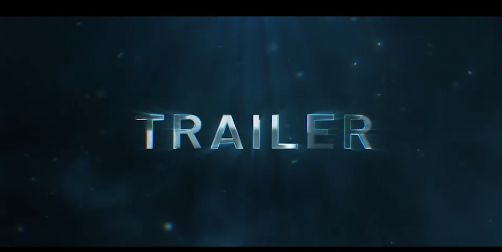
A trailer is designed to communicate the atmosphere, story, and most compelling moments of a project within a short period. Through carefully selected footage, dramatic typography, rhythmic editing, visual effects, sound design, and music, you can create anticipation and encourage viewers to discover more. This Free Trailer template provides a useful starting point for building a cinematic presentation without having to create every visual element from scratch.
Depending on the original template's features, you may be able to customize titles, replace footage, adjust colors, modify transitions, and refine the timing to match your creative direction. Use the available design as a foundation and develop a trailer that reflects the mood, genre, and identity of your project.
Use cinematic landscapes, close-up shots, character introductions, action highlights, and carefully timed text to establish the tone of your film. A suspenseful trailer may rely on slower pacing and restrained visual effects, while an action-oriented trailer can benefit from quicker cuts, dynamic movement, and energetic sequences.
The most effective trailer is not necessarily the one with the most effects. It is the one that creates curiosity and communicates the essential idea of the project. Choose shots that support your story, reveal enough information to interest viewers, and leave them wanting to see more.
Select a small number of strong scenes rather than trying to summarize the entire film. Combine establishing shots, character moments, visual details, and a memorable closing title to create a clear progression. If the template supports multiple text scenes, use them to introduce the film title, release information, production credits, or other relevant details.
For independent productions, consistency matters. Match the trailer's typography, color treatment, and sound design to the visual language of the film so that the promotional material feels connected to the finished project.
For YouTube, a widescreen cinematic presentation may work well for channel trailers, film previews, and promotional videos. For Instagram Reels, TikTok, and YouTube Shorts, consider a vertical version if the original project can be adapted to that format.
Keep the opening visually engaging and make the subject clear early in the sequence. Use concise titles, strong footage, and a memorable ending that communicates the project name or next step. A Free Trailer can provide a reusable creative foundation for producing announcements and teasers with a consistent style.
For gaming trailers, showcase gameplay highlights, character reveals, dramatic environments, or key moments from a match. For sports content, combine action shots, athlete close-ups, crowd reactions, and competition highlights. For fitness promotions, use energetic footage and concise messaging to communicate intensity and motivation.
Match the editing pace to the footage and soundtrack. Rapid cuts can add energy, but the most important moments should remain clear enough for viewers to understand. Use effects selectively so that the action and main subject remain the focus.
Technology brands can use clean typography and controlled movement to reveal product features. Fashion and lifestyle campaigns may benefit from stylized footage and rhythmic cuts, while event promotions can use dramatic titles and highlight clips to encourage attendance.
For commercial presentations, maintain consistent branding throughout the video. Include the company name, product title, campaign message, and relevant call to action where appropriate. Make sure the cinematic style supports the brand rather than distracting from the product or service.
For documentaries, use authentic footage, interviews, location shots, and carefully selected statements to establish the central topic. For events, combine venue visuals, audience moments, speaker highlights, and event details to create anticipation. If the trailer promotes a previous event or completed project, it can function as a recap or highlight video.
Avoid revealing too much information when the goal is to generate curiosity. A concise and well-paced presentation can often communicate more effectively than a long sequence of unrelated clips.
Depending on the original template's features, customization may include replacing placeholder footage, editing titles, changing colors, adjusting animation timing, modifying transitions, or incorporating your own logo. Start by opening the project in a compatible version of After Effects and reviewing the composition structure and required assets.
Organize your footage before replacing the placeholders. Choose clips that match the composition's framing and movement, and check that important subjects remain visible. If the project includes external fonts, plugins, or other dependencies, make sure they are available before editing and rendering.
Once the content is replaced, review the animation from beginning to end. Refine the timing of titles and transitions, adjust the visual treatment where supported, and make sure the ending provides a clear conclusion. Export a test version before producing the final video.
Build a clear progression. Organize the footage so that the trailer moves from introduction to development and then toward a strong closing moment.
Use typography strategically. Titles should support the story, communicate important information, and remain readable against the background footage.
Match the music to the mood. Select a soundtrack that supports the intended genre and pace. Check that you have the appropriate rights to use it in your finished video.
Pay attention to sound design. Where suitable, subtle impacts, risers, ambience, and transition sounds can reinforce the movement and timing of the edit.
Keep effects under control. Use visual effects to strengthen important moments rather than applying dramatic treatments to every shot.
Create a memorable ending. Finish with the project title, release date, brand identity, event information, or another detail that helps viewers remember the trailer.
Check the final export. Review text, timing, audio levels, transitions, missing footage, and overall visual consistency before publishing.
Beginners can use a compatible template to explore cinematic editing and motion graphics, while experienced editors can adapt supported elements to speed up production. It can be useful for personal filmmaking projects, promotional campaigns, client presentations, social media teasers, and portfolio showreels.
Before using the template in commercial work, review its licensing terms and verify the rights associated with any included music, footage, fonts, plugins, or other third-party assets.
Explore Freevideofx for more Free movie trailer templates, After Effects projects, cinematic intros, video transitions, motion graphics, and creative editing resources. Find a style that fits your project, personalize it with your own footage and messaging, and produce a cinematic trailer that makes a lasting impression.
A trailer is designed to communicate the atmosphere, story, and most compelling moments of a project within a short period. Through carefully selected footage, dramatic typography, rhythmic editing, visual effects, sound design, and music, you can create anticipation and encourage viewers to discover more. This Free Trailer template provides a useful starting point for building a cinematic presentation without having to create every visual element from scratch.
Depending on the original template's features, you may be able to customize titles, replace footage, adjust colors, modify transitions, and refine the timing to match your creative direction. Use the available design as a foundation and develop a trailer that reflects the mood, genre, and identity of your project.
Create Cinematic Movie Trailers
Movie trailers use a combination of storytelling, pacing, and visual atmosphere to introduce a film and establish its central theme. A Free Trailer template can help you organize selected footage, dramatic titles, and visual sequences into a compelling presentation.Use cinematic landscapes, close-up shots, character introductions, action highlights, and carefully timed text to establish the tone of your film. A suspenseful trailer may rely on slower pacing and restrained visual effects, while an action-oriented trailer can benefit from quicker cuts, dynamic movement, and energetic sequences.
The most effective trailer is not necessarily the one with the most effects. It is the one that creates curiosity and communicates the essential idea of the project. Choose shots that support your story, reveal enough information to interest viewers, and leave them wanting to see more.
Perfect for Short Films and Independent Filmmakers
Independent filmmakers and student creators can use a Free Trailer template to promote short films, creative experiments, festival submissions, and personal filmmaking projects. A well-designed trailer helps introduce the film's atmosphere, characters, central conflict, or visual style before the audience watches the complete production.Select a small number of strong scenes rather than trying to summarize the entire film. Combine establishing shots, character moments, visual details, and a memorable closing title to create a clear progression. If the template supports multiple text scenes, use them to introduce the film title, release information, production credits, or other relevant details.
For independent productions, consistency matters. Match the trailer's typography, color treatment, and sound design to the visual language of the film so that the promotional material feels connected to the finished project.
Ideal for YouTube Videos and Social Media Promotions
This Free Trailer template can also be adapted for YouTube channel introductions, upcoming video announcements, content launches, event promotions, and short-form social media teasers. Creators can use trailer-style editing to build anticipation for a new series, announce an upcoming project, or introduce a special video.For YouTube, a widescreen cinematic presentation may work well for channel trailers, film previews, and promotional videos. For Instagram Reels, TikTok, and YouTube Shorts, consider a vertical version if the original project can be adapted to that format.
Keep the opening visually engaging and make the subject clear early in the sequence. Use concise titles, strong footage, and a memorable ending that communicates the project name or next step. A Free Trailer can provide a reusable creative foundation for producing announcements and teasers with a consistent style.
Action, Gaming, and Sports Trailer Effects
Fast-paced trailers are popular for gaming content, esports videos, sports highlights, fitness campaigns, and action-focused promotions. A Free Trailer template can help you combine dynamic footage, bold titles, movement, and rhythmic editing to create a high-energy presentation.For gaming trailers, showcase gameplay highlights, character reveals, dramatic environments, or key moments from a match. For sports content, combine action shots, athlete close-ups, crowd reactions, and competition highlights. For fitness promotions, use energetic footage and concise messaging to communicate intensity and motivation.
Match the editing pace to the footage and soundtrack. Rapid cuts can add energy, but the most important moments should remain clear enough for viewers to understand. Use effects selectively so that the action and main subject remain the focus.
Business, Product, and Brand Trailers
Trailer-style videos are not limited to movies. Businesses and marketing teams can use cinematic editing to introduce a new product, announce a brand launch, promote a service, or present an upcoming campaign. A Free Trailer template can provide a dramatic visual structure for communicating a message and creating anticipation.Technology brands can use clean typography and controlled movement to reveal product features. Fashion and lifestyle campaigns may benefit from stylized footage and rhythmic cuts, while event promotions can use dramatic titles and highlight clips to encourage attendance.
For commercial presentations, maintain consistent branding throughout the video. Include the company name, product title, campaign message, and relevant call to action where appropriate. Make sure the cinematic style supports the brand rather than distracting from the product or service.
Documentary and Event Trailer Presentations
Documentary filmmakers, event organizers, and production teams can use a Free Trailer to introduce an upcoming documentary, conference, festival, exhibition, or special event. Carefully chosen footage can communicate the subject, atmosphere, and importance of the project while leaving viewers curious about the full experience.For documentaries, use authentic footage, interviews, location shots, and carefully selected statements to establish the central topic. For events, combine venue visuals, audience moments, speaker highlights, and event details to create anticipation. If the trailer promotes a previous event or completed project, it can function as a recap or highlight video.
Avoid revealing too much information when the goal is to generate curiosity. A concise and well-paced presentation can often communicate more effectively than a long sequence of unrelated clips.
Customize the Trailer in Adobe After Effects
Adobe After Effects is widely used for motion graphics, compositing, animated typography, and visual effects. If the Free Trailer is supplied as an After Effects project, you can customize the included compositions and supported controls to suit your project.Depending on the original template's features, customization may include replacing placeholder footage, editing titles, changing colors, adjusting animation timing, modifying transitions, or incorporating your own logo. Start by opening the project in a compatible version of After Effects and reviewing the composition structure and required assets.
Organize your footage before replacing the placeholders. Choose clips that match the composition's framing and movement, and check that important subjects remain visible. If the project includes external fonts, plugins, or other dependencies, make sure they are available before editing and rendering.
Once the content is replaced, review the animation from beginning to end. Refine the timing of titles and transitions, adjust the visual treatment where supported, and make sure the ending provides a clear conclusion. Export a test version before producing the final video.
Tips for Creating a Professional Trailer
Start with a strong opening. Use an engaging shot, a compelling visual, or a memorable title to establish the atmosphere and give viewers a reason to continue watching.Build a clear progression. Organize the footage so that the trailer moves from introduction to development and then toward a strong closing moment.
Use typography strategically. Titles should support the story, communicate important information, and remain readable against the background footage.
Match the music to the mood. Select a soundtrack that supports the intended genre and pace. Check that you have the appropriate rights to use it in your finished video.
Pay attention to sound design. Where suitable, subtle impacts, risers, ambience, and transition sounds can reinforce the movement and timing of the edit.
Keep effects under control. Use visual effects to strengthen important moments rather than applying dramatic treatments to every shot.
Create a memorable ending. Finish with the project title, release date, brand identity, event information, or another detail that helps viewers remember the trailer.
Check the final export. Review text, timing, audio levels, transitions, missing footage, and overall visual consistency before publishing.
Who Can Use This Free Trailer Template?
This Free Trailer template is suitable for filmmakers, video editors, YouTubers, content creators, motion designers, gaming creators, sports videographers, digital marketers, independent production studios, freelancers, and creative agencies.Beginners can use a compatible template to explore cinematic editing and motion graphics, while experienced editors can adapt supported elements to speed up production. It can be useful for personal filmmaking projects, promotional campaigns, client presentations, social media teasers, and portfolio showreels.
Before using the template in commercial work, review its licensing terms and verify the rights associated with any included music, footage, fonts, plugins, or other third-party assets.
Download Free Trailer from Freevideofx
Bring your creative vision to life with Free Trailer, a versatile starting point for creating cinematic film introductions, dramatic promotional videos, short-film teasers, gaming promos, and engaging brand presentations. Customize the available elements, choose footage that supports your story, and create a trailer that captures attention from the opening scene to the final frame.Explore Freevideofx for more Free movie trailer templates, After Effects projects, cinematic intros, video transitions, motion graphics, and creative editing resources. Find a style that fits your project, personalize it with your own footage and messaging, and produce a cinematic trailer that makes a lasting impression.


