

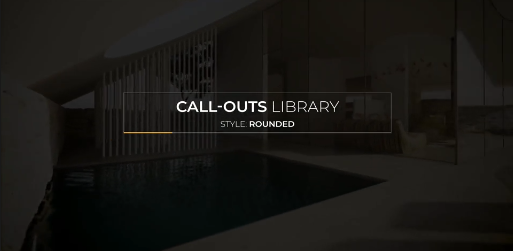
Free Call Outs Rounded is a clean and versatile Premiere Pro template designed for creating professional animated callouts, labels, annotations, pointers, and information graphics. This Free template uses a rounded visual style to present important information clearly while adding a polished motion graphics element to your video projects.
Use Free Call Outs Rounded for YouTube videos, tutorials, explainer videos, product demonstrations, presentations, documentaries, educational content, corporate videos, social media content, and promotional productions. Callout graphics can help direct viewers' attention toward specific objects, people, locations, products, or details within your footage.
This Free Premiere Pro template is ideal for video editors, content creators, motion designers, filmmakers, educators, marketers, freelancers, agencies, and businesses. It provides a practical way to add informative animated graphics without building every callout element from scratch.
Create labels, descriptions, pointers, product highlights, feature explanations, location indicators, speaker information, and visual annotations with Free Call Outs Rounded. The rounded design can complement modern video styles and help important information stand out without overwhelming the main footage.
Customize the Free callout graphics with your own text, colors, typography, branding, icons, positioning, and other available controls. Add product names, technical information, prices, features, locations, instructions, statistics, or other supporting information to make each callout relevant to your project.
Free Call Outs Rounded is particularly useful for tutorial and educational videos. Point toward buttons, tools, interface elements, construction details, diagrams, equipment, products, or important areas of a screen to make complicated information easier for viewers to understand.
Product marketers and businesses can use the Free Callout Template for product showcases, advertisements, demonstrations, technology videos, real estate presentations, corporate content, and promotional campaigns. Highlight product features, specifications, benefits, prices, locations, or important selling points with animated labels.
Social media creators can also use Free Call Outs for Instagram Reels, TikTok videos, YouTube Shorts, Facebook content, and other short-form videos. Add quick annotations and attention-grabbing labels to make product reviews, tutorials, reaction videos, educational content, and promotional clips more informative.
Premiere Pro users can incorporate the Free MOGRT-style callouts directly into their editing workflow and combine them with video footage, photographs, typography, transitions, music, sound effects, and other motion graphics. This makes the template useful for both short social media edits and longer professional productions.
Whether you are creating a tutorial, product demonstration, explainer video, corporate presentation, educational video, YouTube production, or social media Reel, Free Call Outs Rounded provides a flexible and professional solution for adding clear animated annotations and information graphics in Adobe Premiere Pro.
Use Free Call Outs Rounded for YouTube videos, tutorials, explainer videos, product demonstrations, presentations, documentaries, educational content, corporate videos, social media content, and promotional productions. Callout graphics can help direct viewers' attention toward specific objects, people, locations, products, or details within your footage.
This Free Premiere Pro template is ideal for video editors, content creators, motion designers, filmmakers, educators, marketers, freelancers, agencies, and businesses. It provides a practical way to add informative animated graphics without building every callout element from scratch.
Create labels, descriptions, pointers, product highlights, feature explanations, location indicators, speaker information, and visual annotations with Free Call Outs Rounded. The rounded design can complement modern video styles and help important information stand out without overwhelming the main footage.
Customize the Free callout graphics with your own text, colors, typography, branding, icons, positioning, and other available controls. Add product names, technical information, prices, features, locations, instructions, statistics, or other supporting information to make each callout relevant to your project.
Free Call Outs Rounded is particularly useful for tutorial and educational videos. Point toward buttons, tools, interface elements, construction details, diagrams, equipment, products, or important areas of a screen to make complicated information easier for viewers to understand.
Product marketers and businesses can use the Free Callout Template for product showcases, advertisements, demonstrations, technology videos, real estate presentations, corporate content, and promotional campaigns. Highlight product features, specifications, benefits, prices, locations, or important selling points with animated labels.
Social media creators can also use Free Call Outs for Instagram Reels, TikTok videos, YouTube Shorts, Facebook content, and other short-form videos. Add quick annotations and attention-grabbing labels to make product reviews, tutorials, reaction videos, educational content, and promotional clips more informative.
Premiere Pro users can incorporate the Free MOGRT-style callouts directly into their editing workflow and combine them with video footage, photographs, typography, transitions, music, sound effects, and other motion graphics. This makes the template useful for both short social media edits and longer professional productions.
Whether you are creating a tutorial, product demonstration, explainer video, corporate presentation, educational video, YouTube production, or social media Reel, Free Call Outs Rounded provides a flexible and professional solution for adding clear animated annotations and information graphics in Adobe Premiere Pro.


