

Add dynamic movement and professional visual flow to your videos with these Free Camera Transitions for Premiere Pro. Camera-style transitions are a great way to connect clips, create visual energy, and make video edits more engaging. Whether you are editing cinematic sequences, travel videos, music videos, promotional content, or social media reels, camera transitions can help your footage flow smoothly from one scene to another.
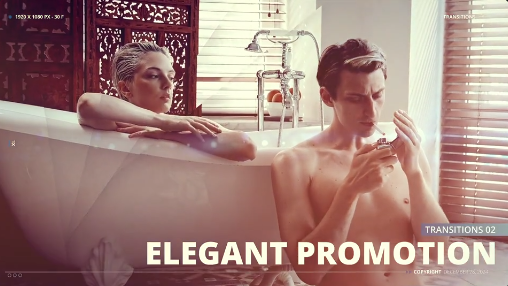
This Free Camera Transitions collection is designed for editors who want to experiment with dynamic scene changes without creating every transition manually. Depending on the original asset, the collection may include camera-inspired movement, zoom effects, directional motion, or other transition styles. Check the included files and compatibility details to confirm the available effects and installation requirements.
Use these Free transitions for:
For the best output, use high-quality footage and ensure that adjacent clips have suitable movement or composition. When editing vertical content, check that important subjects remain visible within the frame.
Discover more Free Premiere Pro transitions, presets, effects, motion graphics, and video editing resources on Freevideofx. Find creative assets to make your next editing project stand out.
This Free Camera Transitions collection is designed for editors who want to experiment with dynamic scene changes without creating every transition manually. Depending on the original asset, the collection may include camera-inspired movement, zoom effects, directional motion, or other transition styles. Check the included files and compatibility details to confirm the available effects and installation requirements.
Create Dynamic Video Edits
Camera transitions can help make ordinary footage feel more energetic and visually connected. They are especially useful when you want to maintain momentum between different shots or introduce a new scene with a noticeable movement effect.Use these Free transitions for:
- Cinematic video editing and short films.
- Travel videos and adventure montages.
- Wedding films and highlight videos.
- Music videos and promotional edits.
- YouTube videos and creative content.
- Instagram Reels and YouTube Shorts.
- Product advertisements and brand campaigns.
- Sports highlights and action sequences.
How to Use Camera Transitions in Premiere Pro
Follow these general steps to incorporate the transitions into your editing workflow:- Download and extract the Free Camera Transitions package.
- Check the included files and instructions to identify the supported transition format.
- Open Adobe Premiere Pro and import your video footage.
- Install or import the transition assets according to the supplied instructions.
- Place your clips on the timeline and apply the transitions where required.
- Adjust timing, positioning, or available effect settings.
- Preview the sequence and export your finished video.
Perfect for Social Media Content
Make your edits more engaging across popular platforms:- Instagram Reels: Add energetic transitions to short-form videos.
- YouTube Shorts: Create fast-paced edits with smooth scene changes.
- YouTube: Improve travel vlogs, montages, tutorials, and cinematic videos.
- Facebook: Enhance promotional content and video campaigns.
- TikTok: Experiment with creative camera-style movements.
- Commercial Projects: Add dynamic visual flow to advertisements and presentations.
Professional Editing Tips
Use camera transitions strategically rather than placing them between every clip. Match the direction and movement of the transition with the action in your footage for a more natural result. Maintain consistent pacing, avoid unnecessary visual effects, and preview transitions at full playback speed.For the best output, use high-quality footage and ensure that adjacent clips have suitable movement or composition. When editing vertical content, check that important subjects remain visible within the frame.
Download Free Camera Transitions for Premiere Pro
Improve your editing workflow with these Free Camera Transitions for Premiere Pro. They offer a convenient way to explore dynamic camera-inspired effects and create more engaging video sequences.Discover more Free Premiere Pro transitions, presets, effects, motion graphics, and video editing resources on Freevideofx. Find creative assets to make your next editing project stand out.


