

Give your videos a cinematic, artistic, and nostalgic look with Free Film Burn Transitions for Premiere Pro. Film burn transitions are popular video editing effects inspired by the visual imperfections of traditional film stock. They use warm light leaks, glowing highlights, burnt-film textures, and organic flashes of color to create expressive transitions between clips. Whether you are editing a cinematic travel film, wedding video, music video, promotional campaign, or social media reel, film burn effects can help your footage feel more dynamic and visually engaging.
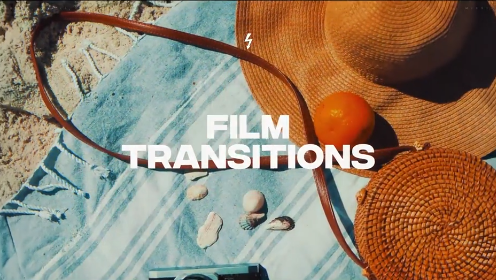
With Free film burn transitions available through Freevideofx, creators can explore creative editing styles without needing to build every effect from scratch. These transitions are especially useful when you want to move beyond ordinary cuts and introduce a more atmospheric, textured, and film-inspired visual style into your projects.
Unlike conventional transitions that rely on simple wipes or geometric movements, film burn effects add texture, warmth, and character to an edit. They work particularly well when the visual story calls for emotion, nostalgia, creativity, or a vintage-inspired atmosphere.
Film burn transitions can be used between two clips, at the beginning of a sequence, during a montage, or as a visual accent within a music video. The final appearance depends on the original transition asset, its settings, and how it is combined with the footage.
Free film burn transitions are useful for creators who want to experiment with cinematic effects while keeping their production workflow accessible. They can help establish a recognizable visual mood, connect different scenes, and add energy to sequences that might otherwise feel too straightforward.
Premiere Pro provides a familiar editing environment for arranging clips, adjusting transition timing, refining colors, and balancing effects with the surrounding footage. Depending on the original template's features, a film burn asset may be supplied as an overlay, transition clip, preset, or another compatible format. Always check the included file details and compatibility instructions before using it in your project.
Wedding Films: Film burn transitions can complement romantic highlights, couple portraits, candid moments, ceremony footage, and reception scenes. Their soft, warm appearance can support an emotional storytelling style without relying on overly elaborate transitions.
Music Videos: Add energy and atmosphere to performance shots, rhythmic edits, and fast-moving montages. Film burns can work particularly well when their flashes and changes in brightness are timed to musical beats.
Fashion and Lifestyle Videos: Use light leaks and organic film textures to create a polished editorial mood for clothing showcases, portraits, lifestyle campaigns, and creative brand films.
Cinematic Short Films: Introduce a nostalgic or experimental visual character between scenes. Film burn transitions can help distinguish a memory, create a visual pause, or support a stylized sequence when used with a clear storytelling purpose.
YouTube Videos: Bring extra visual variety to travel vlogs, personal stories, cinematic introductions, creative montages, and behind-the-scenes edits. Use them selectively to maintain a consistent viewing experience.
Social Media Reels and Shorts: Add movement and visual interest to short-form edits for Instagram Reels, YouTube Shorts, and other vertical-video formats. Choose transitions that suit the pacing and framing of the footage.
Freelancers can use film burn transitions to create a distinctive look for client projects, while small businesses can use them in product videos, promotional content, event highlights, and branded storytelling. Educators and students can also experiment with film-inspired visual techniques when learning editing, pacing, and transition design.
For Instagram Reels, consider using a short film burn between two visually different shots or at the start of a highlight montage. For YouTube videos, use the effect to transition between chapters, locations, or key moments. For promotional videos, a subtle film burn can help connect product details, lifestyle footage, and campaign visuals.
The best results usually come from matching the effect to the content. A warm, subtle transition may suit a romantic or nostalgic story, while a stronger flash may work better in a fast-paced music edit. Avoid applying intense effects to every cut, as too many transitions can distract viewers from the main message.
2. Check the Asset Format: Review the downloaded files and instructions to determine whether the effect is supplied as a video overlay, preset, project file, or another format. Follow the provided setup guidance for Premiere Pro.
3. Place the Effect Carefully: Position the transition at the cut between two clips or use it as an overlay according to the asset's intended workflow. Make sure the effect covers the edit as expected.
4. Adjust the Timing: Experiment with the transition's duration to suit the rhythm of your footage. Faster transitions can create energy, while slower transitions may feel more atmospheric.
5. Match the Color Palette: Film burns often feature orange, amber, red, and yellow tones. Check that these colors complement the footage and do not overwhelm important visual details.
6. Synchronize with Audio: In music videos and highlight reels, try aligning the brightest part of a transition with a beat, musical accent, or sound effect. This can make the edit feel more intentional.
7. Maintain Visual Consistency: If you use several film burn transitions in one project, choose effects that share a similar look. Consistent color, intensity, and timing can make a sequence feel more cohesive.
8. Preview Before Exporting: Review the transition at full playback speed and check for abrupt exposure changes, distracting flashes, unwanted black frames, or cuts that do not align with the effect. Export a short test if necessary.
You can also combine film burns with subtle film grain, carefully controlled color grading, gentle camera movement, and well-timed sound design. However, avoid stacking too many effects at once. Keeping the transition purposeful helps preserve image clarity and allows the main subject to remain the focus.
For projects intended for mobile viewing, check that the effect remains visible on smaller screens without obscuring important subjects or text. For professional delivery, verify the exported video for unwanted flicker, compression artifacts, and abrupt changes in brightness.
Freelancers and agencies may also find these effects useful when developing mood-driven edits for clients. They can provide a starting point for a visual direction and reduce the need to construct every transition from scratch. Always review the asset's license and usage terms before including it in commercial work.
Combining the right transition with thoughtful pacing, consistent color grading, and strong storytelling can help transform ordinary footage into a more memorable viewing experience.
Download and explore Free Film Burn Transitions for Premiere Pro on Freevideofx to experiment with warm light leaks, organic flashes, and cinematic film-inspired edits. Use them thoughtfully to give your next travel video, wedding film, music video, social media reel, or promotional project a distinctive visual character.
With Free film burn transitions available through Freevideofx, creators can explore creative editing styles without needing to build every effect from scratch. These transitions are especially useful when you want to move beyond ordinary cuts and introduce a more atmospheric, textured, and film-inspired visual style into your projects.
What Are Film Burn Transitions?
Film burn transitions recreate the appearance of light leaking into a camera or film being exposed to intense light. The resulting visuals may include orange and yellow flares, red light streaks, white flashes, soft glowing edges, and irregular organic textures. These elements can briefly cover the frame and reveal the next shot, producing a transition that feels spontaneous and cinematic.Unlike conventional transitions that rely on simple wipes or geometric movements, film burn effects add texture, warmth, and character to an edit. They work particularly well when the visual story calls for emotion, nostalgia, creativity, or a vintage-inspired atmosphere.
Film burn transitions can be used between two clips, at the beginning of a sequence, during a montage, or as a visual accent within a music video. The final appearance depends on the original transition asset, its settings, and how it is combined with the footage.
Why Use Free Film Burn Transitions for Premiere Pro?
Creating film burn effects manually can require footage overlays, blending adjustments, color correction, timing changes, and careful compositing. A ready-made transition can simplify this process and help editors achieve a consistent visual style more efficiently.Free film burn transitions are useful for creators who want to experiment with cinematic effects while keeping their production workflow accessible. They can help establish a recognizable visual mood, connect different scenes, and add energy to sequences that might otherwise feel too straightforward.
Premiere Pro provides a familiar editing environment for arranging clips, adjusting transition timing, refining colors, and balancing effects with the surrounding footage. Depending on the original template's features, a film burn asset may be supplied as an overlay, transition clip, preset, or another compatible format. Always check the included file details and compatibility instructions before using it in your project.
Key Creative Uses
Cinematic Travel Videos: Give landscape shots, city sequences, road trips, and adventure footage a warm, film-inspired quality. A carefully timed film burn can help connect different locations and make a travel montage feel more expressive.Wedding Films: Film burn transitions can complement romantic highlights, couple portraits, candid moments, ceremony footage, and reception scenes. Their soft, warm appearance can support an emotional storytelling style without relying on overly elaborate transitions.
Music Videos: Add energy and atmosphere to performance shots, rhythmic edits, and fast-moving montages. Film burns can work particularly well when their flashes and changes in brightness are timed to musical beats.
Fashion and Lifestyle Videos: Use light leaks and organic film textures to create a polished editorial mood for clothing showcases, portraits, lifestyle campaigns, and creative brand films.
Cinematic Short Films: Introduce a nostalgic or experimental visual character between scenes. Film burn transitions can help distinguish a memory, create a visual pause, or support a stylized sequence when used with a clear storytelling purpose.
YouTube Videos: Bring extra visual variety to travel vlogs, personal stories, cinematic introductions, creative montages, and behind-the-scenes edits. Use them selectively to maintain a consistent viewing experience.
Social Media Reels and Shorts: Add movement and visual interest to short-form edits for Instagram Reels, YouTube Shorts, and other vertical-video formats. Choose transitions that suit the pacing and framing of the footage.
Useful for Different Types of Creators
Free Film Burn Transitions for Premiere Pro can be useful for beginner editors, experienced video professionals, independent filmmakers, wedding videographers, content creators, and marketing teams. Beginners can use ready-made effects to explore cinematic editing techniques, while experienced editors can incorporate them into more advanced color-grading and compositing workflows.Freelancers can use film burn transitions to create a distinctive look for client projects, while small businesses can use them in product videos, promotional content, event highlights, and branded storytelling. Educators and students can also experiment with film-inspired visual techniques when learning editing, pacing, and transition design.
Improve Your Social Media Content
In fast-moving social feeds, the visual rhythm of a video can influence how viewers experience the content. Film burn transitions can introduce a moment of visual energy, connect related shots, or emphasize a change in mood.For Instagram Reels, consider using a short film burn between two visually different shots or at the start of a highlight montage. For YouTube videos, use the effect to transition between chapters, locations, or key moments. For promotional videos, a subtle film burn can help connect product details, lifestyle footage, and campaign visuals.
The best results usually come from matching the effect to the content. A warm, subtle transition may suit a romantic or nostalgic story, while a stronger flash may work better in a fast-paced music edit. Avoid applying intense effects to every cut, as too many transitions can distract viewers from the main message.
Practical Editing Tips for Premiere Pro
1. Organize Your Footage: Arrange your clips in the desired order before adding transitions. Identify the moments where a film burn can support the pacing or mood of the sequence.2. Check the Asset Format: Review the downloaded files and instructions to determine whether the effect is supplied as a video overlay, preset, project file, or another format. Follow the provided setup guidance for Premiere Pro.
3. Place the Effect Carefully: Position the transition at the cut between two clips or use it as an overlay according to the asset's intended workflow. Make sure the effect covers the edit as expected.
4. Adjust the Timing: Experiment with the transition's duration to suit the rhythm of your footage. Faster transitions can create energy, while slower transitions may feel more atmospheric.
5. Match the Color Palette: Film burns often feature orange, amber, red, and yellow tones. Check that these colors complement the footage and do not overwhelm important visual details.
6. Synchronize with Audio: In music videos and highlight reels, try aligning the brightest part of a transition with a beat, musical accent, or sound effect. This can make the edit feel more intentional.
7. Maintain Visual Consistency: If you use several film burn transitions in one project, choose effects that share a similar look. Consistent color, intensity, and timing can make a sequence feel more cohesive.
8. Preview Before Exporting: Review the transition at full playback speed and check for abrupt exposure changes, distracting flashes, unwanted black frames, or cuts that do not align with the effect. Export a short test if necessary.
Tips for Achieving a Professional Cinematic Look
Film burn transitions work best when they support the footage rather than compete with it. Consider the story, color palette, lighting, and emotional tone of your project before choosing an effect. Warm transitions can complement golden-hour footage and romantic scenes, while stronger flashes can add impact to energetic montages.You can also combine film burns with subtle film grain, carefully controlled color grading, gentle camera movement, and well-timed sound design. However, avoid stacking too many effects at once. Keeping the transition purposeful helps preserve image clarity and allows the main subject to remain the focus.
For projects intended for mobile viewing, check that the effect remains visible on smaller screens without obscuring important subjects or text. For professional delivery, verify the exported video for unwanted flicker, compression artifacts, and abrupt changes in brightness.
Free Film Burn Effects for Freelancers and Businesses
High-quality visual content can help businesses communicate a brand's personality and make promotional videos more engaging. Film burn transitions can support lifestyle campaigns, fashion promotions, event recaps, creative portfolios, product montages, and cinematic advertisements.Freelancers and agencies may also find these effects useful when developing mood-driven edits for clients. They can provide a starting point for a visual direction and reduce the need to construct every transition from scratch. Always review the asset's license and usage terms before including it in commercial work.
Explore More Free Video Editing Resources on Freevideofx
Freevideofx helps video creators discover resources for editing, motion graphics, transitions, and creative video projects. If you enjoy the nostalgic character of film burn effects, consider exploring other film-inspired transitions, light leaks, overlays, cinematic effects, and slideshow assets to expand your editing toolkit.Combining the right transition with thoughtful pacing, consistent color grading, and strong storytelling can help transform ordinary footage into a more memorable viewing experience.
Download and explore Free Film Burn Transitions for Premiere Pro on Freevideofx to experiment with warm light leaks, organic flashes, and cinematic film-inspired edits. Use them thoughtfully to give your next travel video, wedding film, music video, social media reel, or promotional project a distinctive visual character.


