

Create engaging visual stories with this Free Slideshow After Effects Template, a versatile solution for transforming your photos, video clips, and graphic elements into a polished slideshow presentation. Whether you are creating a personal memory video, a professional business presentation, a promotional campaign, or a cinematic sequence for social media, a well-designed slideshow helps you communicate your message in a visually appealing and memorable way. This Free Slideshow template is ideal for creators who want to present their content with creative transitions, coordinated layouts, smooth animation, and an organized visual flow.
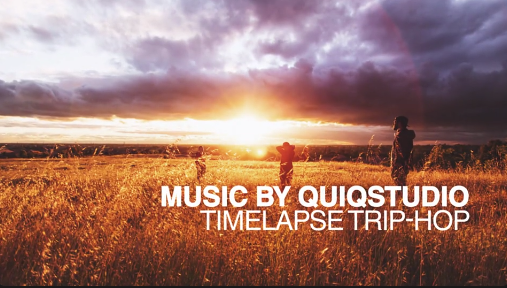
A slideshow is one of the most flexible formats in video production because it allows multiple images, video clips, text elements, and other visual assets to work together as a single presentation. Instead of displaying photographs as a basic sequence, you can use animated movement, transition effects, typography, and carefully timed scenes to build a more engaging viewing experience. With a Free Slideshow template, you can develop a consistent visual style while saving time during the editing and production process.
The slideshow format works especially well when you need to combine several visual elements without overwhelming your audience. Consistent spacing, balanced composition, readable typography, and appropriate transitions can make a presentation feel more professional. Whether your content is personal, educational, commercial, or artistic, this Free Slideshow provides a useful starting point for developing your own visual narrative.
For wedding photographers and event filmmakers, slideshow videos offer a practical way to present selected highlights from an event. Travel creators can use the same format to showcase destinations, landscapes, city views, and memorable experiences. By combining thoughtful image selection with well-paced animation, you can create a presentation that feels more engaging than a simple collection of still photographs.
Content creators can use slideshow animations for travel recaps, lifestyle updates, fashion collections, photography showcases, educational summaries, motivational content, and storytelling videos. Businesses can create promotional sequences that introduce products, explain services, highlight customer experiences, or announce upcoming events. A Free Slideshow gives you a flexible foundation for producing multiple types of content without starting every project from scratch.
For e-commerce brands, a slideshow can display product variations, close-up details, lifestyle photography, and product benefits in a coordinated sequence. Real estate professionals can present property photographs, interiors, exterior views, amenities, and location highlights. Agencies can use slideshow videos to summarize campaign work, present creative concepts, and showcase completed projects to clients.
Freelancers can also use slideshow presentations when pitching to potential clients, introducing their services, or preparing a project overview. Instead of sharing disconnected images, arrange your best work into a visual story that demonstrates your capabilities and creative direction. Choose a logical order, maintain consistent pacing, and allow each featured project enough screen time to be appreciated.
For educational content, use the slideshow format to organize concepts into clear sections. Combine photographs, diagrams, titles, and supporting visuals to make information easier to follow. For corporate presentations, use brand colors and concise messaging to maintain consistency. For entertainment and storytelling, experiment with image sequencing and rhythm to create a more cinematic experience.
Before editing, open the project in a compatible version of After Effects and review the included compositions, footage, fonts, and other project dependencies. Organize your photographs and video clips before replacing the placeholder content. This makes it easier to maintain a clean workflow and identify missing assets.
For the best results, use high-quality images that fit the composition, keep text concise, and select colors that complement your visual material. If the template includes animated text or transition controls, preview the timing carefully after making changes. A well-customized Free Slideshow should feel consistent with your brand or creative project rather than looking like an unmodified preset.
Pay attention to pacing. Rapid transitions may suit energetic promotional content, while slower movement can work better for wedding films, travel memories, photography portfolios, and emotional storytelling. Avoid using too many competing effects, and allow important photographs or messages enough time on screen.
Choose background music that complements the tone of your project, and make sure you have the appropriate rights to use it. Keep typography readable across different screen sizes, especially when preparing content for mobile devices. Finally, preview the complete sequence before exporting to check for missing media, awkward transitions, inconsistent spacing, and text that appears for too little time.
It can support personal projects as well as commercial presentations, provided you follow the original asset's license and usage terms. Before publishing or distributing your finished project, check any restrictions that apply to the template, included footage, music, fonts, and other third-party assets.
Explore Freevideofx for more Free video templates, After Effects projects, slideshow designs, transitions, motion graphics, and creative resources. Choose a suitable template, personalize it with your own images and messaging, and create slideshow videos that communicate your ideas with clarity and visual impact.
A slideshow is one of the most flexible formats in video production because it allows multiple images, video clips, text elements, and other visual assets to work together as a single presentation. Instead of displaying photographs as a basic sequence, you can use animated movement, transition effects, typography, and carefully timed scenes to build a more engaging viewing experience. With a Free Slideshow template, you can develop a consistent visual style while saving time during the editing and production process.
Create Professional Photo and Video Presentations
This Free Slideshow template can help you turn ordinary photographs and video footage into a more structured visual presentation. Arrange your favorite images, showcase important moments, introduce a product, or present a collection of creative projects in a sequence that feels connected from beginning to end. Depending on the original template's features, you may be able to customize image placeholders, replace video clips, modify text, adjust colors, and refine animation timing to suit your project's requirements.The slideshow format works especially well when you need to combine several visual elements without overwhelming your audience. Consistent spacing, balanced composition, readable typography, and appropriate transitions can make a presentation feel more professional. Whether your content is personal, educational, commercial, or artistic, this Free Slideshow provides a useful starting point for developing your own visual narrative.
Ideal for Personal Memories and Special Occasions
Create memorable presentations for birthdays, anniversaries, weddings, engagements, family gatherings, vacations, graduations, and other special occasions. A Free Slideshow can help you bring photographs and short video clips together into a meaningful sequence that captures important moments. Add names, dates, short messages, captions, and suitable background music to give your project a more personal touch.For wedding photographers and event filmmakers, slideshow videos offer a practical way to present selected highlights from an event. Travel creators can use the same format to showcase destinations, landscapes, city views, and memorable experiences. By combining thoughtful image selection with well-paced animation, you can create a presentation that feels more engaging than a simple collection of still photographs.
Perfect for Social Media Content
A Free Slideshow is useful for creating visual content for Instagram, Facebook, YouTube, TikTok, and other digital platforms. Use your photographs, promotional graphics, product images, or video clips to develop content that communicates information quickly and maintains a consistent visual identity. Depending on the project, you can adapt the composition and duration for vertical reels, square social media posts, or widescreen video presentations.Content creators can use slideshow animations for travel recaps, lifestyle updates, fashion collections, photography showcases, educational summaries, motivational content, and storytelling videos. Businesses can create promotional sequences that introduce products, explain services, highlight customer experiences, or announce upcoming events. A Free Slideshow gives you a flexible foundation for producing multiple types of content without starting every project from scratch.
Business Promotions and Marketing Presentations
Businesses and marketing teams can use a Free Slideshow to present products, services, company milestones, campaign highlights, and brand stories. A carefully structured sequence can introduce your business, showcase important features, display project results, or communicate an offer through a combination of images and concise text. This format is suitable for online advertisements, internal presentations, digital displays, promotional videos, and branded social media content.For e-commerce brands, a slideshow can display product variations, close-up details, lifestyle photography, and product benefits in a coordinated sequence. Real estate professionals can present property photographs, interiors, exterior views, amenities, and location highlights. Agencies can use slideshow videos to summarize campaign work, present creative concepts, and showcase completed projects to clients.
Photography Portfolios and Creative Showreels
Photographers, designers, filmmakers, and other creative professionals can use this Free Slideshow template to build an organized portfolio presentation. Showcase selected photographs, editorial work, commercial projects, illustrations, branding concepts, or video highlights in a sequence that reflects your personal style. A consistent layout helps viewers focus on the work itself while transitions and motion add visual interest.Freelancers can also use slideshow presentations when pitching to potential clients, introducing their services, or preparing a project overview. Instead of sharing disconnected images, arrange your best work into a visual story that demonstrates your capabilities and creative direction. Choose a logical order, maintain consistent pacing, and allow each featured project enough screen time to be appreciated.
Useful for YouTube Videos and Digital Presentations
A Free Slideshow can be adapted for YouTube intros, channel presentations, photo compilations, travel documentaries, educational videos, event recaps, and promotional sequences. It can also support presentations for workshops, online courses, conferences, and business meetings where visual material helps explain a topic or reinforce key points.For educational content, use the slideshow format to organize concepts into clear sections. Combine photographs, diagrams, titles, and supporting visuals to make information easier to follow. For corporate presentations, use brand colors and concise messaging to maintain consistency. For entertainment and storytelling, experiment with image sequencing and rhythm to create a more cinematic experience.
Customize the Slideshow in Adobe After Effects
Adobe After Effects is widely used for motion graphics, compositing, animated typography, and visual effects. If the downloaded project is an After Effects template, you can use the included composition structure and controls, where available, to adapt the design to your needs. Depending on the original template's features, customization may include replacing placeholder media, editing titles, adjusting colors, changing timing, modifying transitions, and adding your own branding.Before editing, open the project in a compatible version of After Effects and review the included compositions, footage, fonts, and other project dependencies. Organize your photographs and video clips before replacing the placeholder content. This makes it easier to maintain a clean workflow and identify missing assets.
For the best results, use high-quality images that fit the composition, keep text concise, and select colors that complement your visual material. If the template includes animated text or transition controls, preview the timing carefully after making changes. A well-customized Free Slideshow should feel consistent with your brand or creative project rather than looking like an unmodified preset.
Tips for Creating a Better Slideshow
Start by defining the purpose of your presentation and selecting images that support a clear story. Arrange the visuals in a logical sequence, such as chronological order, product categories, project stages, or a progression from introduction to conclusion. This gives viewers a reason to continue watching and helps your message remain easy to understand.Pay attention to pacing. Rapid transitions may suit energetic promotional content, while slower movement can work better for wedding films, travel memories, photography portfolios, and emotional storytelling. Avoid using too many competing effects, and allow important photographs or messages enough time on screen.
Choose background music that complements the tone of your project, and make sure you have the appropriate rights to use it. Keep typography readable across different screen sizes, especially when preparing content for mobile devices. Finally, preview the complete sequence before exporting to check for missing media, awkward transitions, inconsistent spacing, and text that appears for too little time.
Who Can Use This Free Slideshow Template?
This Free Slideshow is suitable for video editors, content creators, photographers, wedding filmmakers, graphic designers, digital marketers, social media managers, freelancers, educators, small businesses, and creative agencies. Beginners can use a prepared template as a starting point for learning how scenes and animation work together, while experienced editors can adapt suitable templates to accelerate their production workflow.It can support personal projects as well as commercial presentations, provided you follow the original asset's license and usage terms. Before publishing or distributing your finished project, check any restrictions that apply to the template, included footage, music, fonts, and other third-party assets.
Download Free Slideshow from Freevideofx
If you are looking for a convenient way to create polished photo presentations, promotional videos, creative portfolios, or memorable event recaps, a Free Slideshow After Effects template is a useful addition to your editing resources. It provides a starting point for organizing your visual content, developing an engaging sequence, and creating a consistent presentation for different audiences.Explore Freevideofx for more Free video templates, After Effects projects, slideshow designs, transitions, motion graphics, and creative resources. Choose a suitable template, personalize it with your own images and messaging, and create slideshow videos that communicate your ideas with clarity and visual impact.


