

Free Typewriter Pro is a creative typography animation resource designed for video editors, motion designers, filmmakers, content creators, and graphic designers who want to introduce text with a classic typing effect. This Free After Effects template provides a starting point for creating animated headlines, typewriter-style titles, text reveals, and storytelling sequences. Inspired by the familiar appearance of characters appearing one by one on a screen or page, the typewriter effect adds a distinctive rhythm to video content.
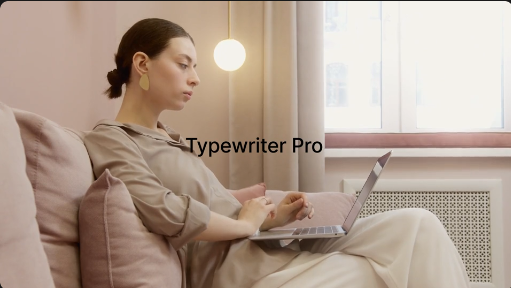
Typewriter text animation is a popular technique for revealing messages gradually rather than displaying an entire sentence at once. This approach can create anticipation, emphasize important words, and give viewers time to follow the message. Free Typewriter Pro can inspire a variety of visual styles, from vintage writing effects to modern digital typing animations suitable for promotional videos, educational content, cinematic intros, and social media projects.
This Free After Effects resource is suitable for YouTube intros, explainer videos, presentations, advertisements, storytelling projects, documentaries, and creative title sequences. Use typewriter animation to introduce a topic, display a quotation, reveal a headline, present a message, or emphasize an important statement. Combining animated text with suitable backgrounds, footage, sound effects, and typography can help create a polished and engaging visual presentation.
YouTube creators can incorporate Free Typewriter Pro into tutorials, video essays, educational content, travel vlogs, reviews, documentaries, and storytelling videos. The typing effect can introduce a subject, reveal a key point, display a memorable quote, or create a transition between sections. Consistent text animation can also help establish a recognizable visual identity across multiple videos.
Social media creators can use typewriter text effects for Instagram Reels, TikTok videos, YouTube Shorts, Facebook Reels, and other short-form content. Animated typing can highlight motivational quotes, reveal captions, introduce announcements, present short stories, and emphasize promotional messages. The gradual text reveal can be particularly effective when synchronized with music, narration, or a carefully timed visual sequence.
Businesses and digital marketers can use Free Typewriter Pro in promotional campaigns, brand videos, product advertisements, corporate presentations, and social media marketing. Reveal product names, campaign slogans, customer messages, service benefits, and calls to action through animated typography. A well-designed typing effect can add personality to a presentation while keeping the message clear and easy to follow.
Filmmakers and video editors can use typewriter animation for opening titles, cinematic sequences, documentary captions, dramatic reveals, and narrative transitions. The effect can complement investigative storytelling, historical presentations, suspenseful scenes, and retro-inspired visual styles. Pair the animation with subtle paper textures, film grain, atmospheric backgrounds, or suitable sound design to create a distinctive mood.
Writers, authors, educators, and publishing professionals can incorporate Free Typewriter Pro into book trailers, literary presentations, poetry videos, educational lessons, and author promotions. Use the effect to reveal book titles, excerpts, quotations, chapter headings, and important concepts. It can also support writing-related content, creative portfolios, and presentations about literature or storytelling.
Freelance video editors, motion designers, and creative agencies can use typewriter animation concepts for client projects that require clear and engaging text presentation. Suitable applications include promotional videos, product launches, event announcements, educational explainers, business presentations, and branded social media content. Reusable typography animations can help streamline production while allowing each project to maintain its own visual style.
Adobe After Effects provides a flexible environment for creating and customizing typewriter text animations. Depending on the original template's features, you may be able to replace text, change fonts and colors, adjust typing speed, modify timing, and customize the surrounding composition. Some assets may include cursor animations, sound effects, or additional text treatments, but these features depend on the original package. Always check the asset specifications for supported After Effects versions, required plugins, included files, and available customization options.
For the best results, select a readable font and adjust the typing speed to match the amount of text being displayed. Short messages can appear quickly, while longer passages may benefit from slower pacing and intentional pauses. Ensure that the text remains visible long enough for viewers to read it, and use a blinking cursor or typing sound only when it complements the project's style. Maintain sufficient contrast between the text and background for a clear presentation.
Free Typewriter Pro can also inspire creative applications such as animated subtitles, quote reveals, title cards, digital message animations, storytelling intros, and retro-inspired motion graphics. By combining typing effects with appropriate transitions, background visuals, and sound design, creators can develop a consistent visual language across an entire video or content series.
Whether you are creating a YouTube intro, producing an educational explainer, designing a promotional Reel, editing a cinematic sequence, or presenting a written message, Free Typewriter Pro offers a useful starting point for expressive text animation. Explore more Free After Effects templates, typewriter effects, animated titles, kinetic typography, and motion graphics resources on Freevideofx to discover creative assets for your next project.
Typewriter text animation is a popular technique for revealing messages gradually rather than displaying an entire sentence at once. This approach can create anticipation, emphasize important words, and give viewers time to follow the message. Free Typewriter Pro can inspire a variety of visual styles, from vintage writing effects to modern digital typing animations suitable for promotional videos, educational content, cinematic intros, and social media projects.
This Free After Effects resource is suitable for YouTube intros, explainer videos, presentations, advertisements, storytelling projects, documentaries, and creative title sequences. Use typewriter animation to introduce a topic, display a quotation, reveal a headline, present a message, or emphasize an important statement. Combining animated text with suitable backgrounds, footage, sound effects, and typography can help create a polished and engaging visual presentation.
YouTube creators can incorporate Free Typewriter Pro into tutorials, video essays, educational content, travel vlogs, reviews, documentaries, and storytelling videos. The typing effect can introduce a subject, reveal a key point, display a memorable quote, or create a transition between sections. Consistent text animation can also help establish a recognizable visual identity across multiple videos.
Social media creators can use typewriter text effects for Instagram Reels, TikTok videos, YouTube Shorts, Facebook Reels, and other short-form content. Animated typing can highlight motivational quotes, reveal captions, introduce announcements, present short stories, and emphasize promotional messages. The gradual text reveal can be particularly effective when synchronized with music, narration, or a carefully timed visual sequence.
Businesses and digital marketers can use Free Typewriter Pro in promotional campaigns, brand videos, product advertisements, corporate presentations, and social media marketing. Reveal product names, campaign slogans, customer messages, service benefits, and calls to action through animated typography. A well-designed typing effect can add personality to a presentation while keeping the message clear and easy to follow.
Filmmakers and video editors can use typewriter animation for opening titles, cinematic sequences, documentary captions, dramatic reveals, and narrative transitions. The effect can complement investigative storytelling, historical presentations, suspenseful scenes, and retro-inspired visual styles. Pair the animation with subtle paper textures, film grain, atmospheric backgrounds, or suitable sound design to create a distinctive mood.
Writers, authors, educators, and publishing professionals can incorporate Free Typewriter Pro into book trailers, literary presentations, poetry videos, educational lessons, and author promotions. Use the effect to reveal book titles, excerpts, quotations, chapter headings, and important concepts. It can also support writing-related content, creative portfolios, and presentations about literature or storytelling.
Freelance video editors, motion designers, and creative agencies can use typewriter animation concepts for client projects that require clear and engaging text presentation. Suitable applications include promotional videos, product launches, event announcements, educational explainers, business presentations, and branded social media content. Reusable typography animations can help streamline production while allowing each project to maintain its own visual style.
Adobe After Effects provides a flexible environment for creating and customizing typewriter text animations. Depending on the original template's features, you may be able to replace text, change fonts and colors, adjust typing speed, modify timing, and customize the surrounding composition. Some assets may include cursor animations, sound effects, or additional text treatments, but these features depend on the original package. Always check the asset specifications for supported After Effects versions, required plugins, included files, and available customization options.
For the best results, select a readable font and adjust the typing speed to match the amount of text being displayed. Short messages can appear quickly, while longer passages may benefit from slower pacing and intentional pauses. Ensure that the text remains visible long enough for viewers to read it, and use a blinking cursor or typing sound only when it complements the project's style. Maintain sufficient contrast between the text and background for a clear presentation.
Free Typewriter Pro can also inspire creative applications such as animated subtitles, quote reveals, title cards, digital message animations, storytelling intros, and retro-inspired motion graphics. By combining typing effects with appropriate transitions, background visuals, and sound design, creators can develop a consistent visual language across an entire video or content series.
Whether you are creating a YouTube intro, producing an educational explainer, designing a promotional Reel, editing a cinematic sequence, or presenting a written message, Free Typewriter Pro offers a useful starting point for expressive text animation. Explore more Free After Effects templates, typewriter effects, animated titles, kinetic typography, and motion graphics resources on Freevideofx to discover creative assets for your next project.


