

Present your creative work with a premium smartphone design using this Free Phone 17 Pro Mockup. Designed for showcasing mobile interfaces, app concepts, digital products, and promotional graphics, this mockup provides a professional way to display your designs in a realistic smartphone presentation.
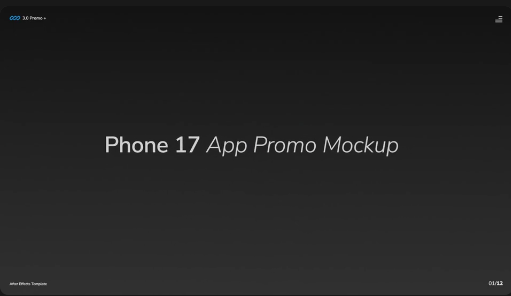
Whether you are a UI/UX designer, graphic designer, app developer, digital marketer, or content creator, a smartphone mockup can make your project presentations more visually appealing. Use this Free Phone 17 Pro Mockup to showcase mobile applications, website layouts, product advertisements, wallpapers, and other digital designs.
Depending on the original mockup's format and included features, you can use it for:
App Developers: Showcase newly developed applications, feature updates, and interface designs for promotional materials.
Graphic Designers: Create attractive advertisements, product presentations, and digital campaign visuals.
Digital Marketers: Use smartphone mockups to promote mobile services, applications, websites, and technology products.
Content Creators: Prepare engaging social media graphics and visual presentations for technology-related content.
A general editing workflow includes:
This Free Phone 17 Pro Mockup is a useful creative resource for designers, developers, marketers, and technology enthusiasts who want to showcase their work with a modern smartphone presentation.
Discover more Free mockups, graphic resources, design templates, and creative assets at Freevideofx. Explore useful resources to make your next design presentation stand out.
Whether you are a UI/UX designer, graphic designer, app developer, digital marketer, or content creator, a smartphone mockup can make your project presentations more visually appealing. Use this Free Phone 17 Pro Mockup to showcase mobile applications, website layouts, product advertisements, wallpapers, and other digital designs.
Showcase Your Designs Professionally
Smartphone mockups are useful for presenting digital designs in a device-focused layout. Instead of displaying a mobile interface as a flat screenshot, you can place your design inside a smartphone mockup to create a more realistic product presentation.Depending on the original mockup's format and included features, you can use it for:
- Mobile application UI and UX presentations
- Website and responsive design previews
- App store screenshots and promotional graphics
- Smartphone wallpapers and screen designs
- Product advertisements and marketing campaigns
- Social media promotional posts
- Portfolio presentations and design case studies
- Technology product showcases
Ideal for Designers and Creative Professionals
UI/UX Designers: Present application screens, navigation layouts, dashboards, and mobile interface concepts in a professional device mockup.App Developers: Showcase newly developed applications, feature updates, and interface designs for promotional materials.
Graphic Designers: Create attractive advertisements, product presentations, and digital campaign visuals.
Digital Marketers: Use smartphone mockups to promote mobile services, applications, websites, and technology products.
Content Creators: Prepare engaging social media graphics and visual presentations for technology-related content.
Customization and Editing Guide
Before editing, check the original download format and supported software requirements. Depending on the included file type, you may be able to customize the mockup using Photoshop, Illustrator, or another compatible design application.A general editing workflow includes:
- Open the downloaded mockup in its compatible design software.
- Locate the screen area or image placeholder.
- Insert your application screenshot, wallpaper, or promotional design.
- Adjust the image size and positioning to fit the device screen.
- Customize available backgrounds, colors, and surrounding elements.
- Refine the composition to maintain a balanced product presentation.
- Export the final artwork in a suitable image format.
Professional Design Tips
- Use high-resolution screenshots for sharp screen presentations.
- Keep important interface elements visible and properly aligned.
- Choose backgrounds that complement the device's appearance.
- Maintain consistent typography and brand colors.
- Avoid overcrowding the composition with unnecessary graphics.
- Use realistic shadows and lighting where supported by the original design.
- Prepare separate layouts for square, portrait, and landscape placements when required.
Perfect for Social Media and Portfolio Presentations
Use your completed Phone 17 Pro Mockup for Instagram posts, Behance projects, Dribbble showcases, website banners, app promotions, presentation slides, and digital advertising campaigns. It can also help freelancers and agencies present mobile design concepts to clients in a polished and professional format.Why Choose This Free Phone 17 Pro Mockup?
A quality smartphone mockup helps communicate how a design may appear on a real device. It makes app interfaces, website layouts, and promotional artwork easier to visualize while giving your portfolio or marketing presentation a refined appearance.This Free Phone 17 Pro Mockup is a useful creative resource for designers, developers, marketers, and technology enthusiasts who want to showcase their work with a modern smartphone presentation.
Discover more Free mockups, graphic resources, design templates, and creative assets at Freevideofx. Explore useful resources to make your next design presentation stand out.


