

Give your videos a clean, informative, and engaging visual presentation with this Free Vox Style Typography template. Inspired by the modern typography-driven presentation commonly seen in documentary and educational explainer content, this style focuses on clear text layouts, structured messaging, and visually appealing animated typography.
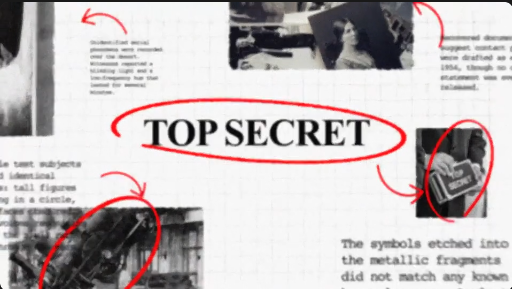
Whether you are creating educational videos, documentary-style content, news explainers, business presentations, or YouTube videos, Vox-style typography can help communicate information in a more organized and professional way. This Free typography resource is suitable for video editors, motion designers, educators, journalists, and digital content creators.
Depending on the original template's design and included features, you can use this Free Vox Style Typography resource for:
Documentary Filmmakers: Introduce topics, highlight important information, and create visual transitions between different sections of a documentary.
Journalists and Media Professionals: Present headlines, key facts, and supporting information in a structured visual format.
Educators: Make learning videos more engaging by emphasizing important concepts, definitions, and explanations.
Motion Graphics Designers: Incorporate modern typography treatments into explainer videos, presentations, and editorial motion graphics projects.
Whether you are producing a documentary, explaining a complex topic, or developing educational content, this template can help bring your ideas to the screen with a clean typographic approach.
Explore more Free After Effects templates, typography animations, explainer graphics, title packs, and creative video resources at Freevideofx. Find useful assets to make your next storytelling project more engaging and professional.
Whether you are creating educational videos, documentary-style content, news explainers, business presentations, or YouTube videos, Vox-style typography can help communicate information in a more organized and professional way. This Free typography resource is suitable for video editors, motion designers, educators, journalists, and digital content creators.
Create Modern Explainer-Style Typography
Typography plays an important role in explaining complex information and presenting facts in an accessible format. A clean typographic approach helps viewers focus on important messages while maintaining visual consistency throughout a video.Depending on the original template's design and included features, you can use this Free Vox Style Typography resource for:
- Documentary-style video titles
- Educational and informational explainers
- YouTube storytelling and video essays
- News and current-affairs presentations
- Business and technology explainers
- Data-driven storytelling
- Historical and science-based videos
- Social media educational content
- Corporate presentations and promotional videos
Ideal for Different Creative Industries
YouTube Creators: Develop polished titles and typography sequences for educational channels, video essays, technology reviews, and informative content.Documentary Filmmakers: Introduce topics, highlight important information, and create visual transitions between different sections of a documentary.
Journalists and Media Professionals: Present headlines, key facts, and supporting information in a structured visual format.
Educators: Make learning videos more engaging by emphasizing important concepts, definitions, and explanations.
Motion Graphics Designers: Incorporate modern typography treatments into explainer videos, presentations, and editorial motion graphics projects.
Customization and Editing Guide
If the original download includes an After Effects project, you can generally customize it using the following workflow:- Open the project file in Adobe After Effects.
- Explore the available compositions and text layers.
- Replace the sample text with your own headlines, facts, or explanations.
- Adjust fonts, text sizes, and alignment where editable.
- Customize available colors and background elements.
- Review the animation timing to maintain a smooth presentation.
- Preview the complete sequence and export your final video.
Professional Tips for Better Results
- Use clean and readable typography for information-heavy videos.
- Establish a clear hierarchy between headings and supporting text.
- Highlight important keywords to guide viewer attention.
- Maintain consistent spacing and alignment throughout the sequence.
- Use subtle animation to keep the presentation focused on the message.
- Combine typography with relevant footage, photographs, and graphics.
- Synchronize text transitions with narration and background music.
Perfect for YouTube and Social Media Content
Use your completed typography animations in YouTube documentaries, Instagram Reels, YouTube Shorts, educational videos, LinkedIn content, Facebook explainers, and digital presentations. This style is particularly useful for creators who want to communicate information through a combination of narration, visuals, and animated text.Why Choose This Free Vox Style Typography Template?
A strong typography presentation can make an informative video easier to follow and more visually engaging. Inspired by modern editorial and explainer-video design, this Free Vox Style Typography resource offers a useful starting point for creating structured, professional-looking motion graphics.Whether you are producing a documentary, explaining a complex topic, or developing educational content, this template can help bring your ideas to the screen with a clean typographic approach.
Explore more Free After Effects templates, typography animations, explainer graphics, title packs, and creative video resources at Freevideofx. Find useful assets to make your next storytelling project more engaging and professional.


